Connect & Integrate OpenAI
Last updated: April 25, 2025
Introduction
This guide goes over how to connect and integrate with the broader OpenAI platform which is different from ChatGPT.
At time of writing, ChatGPT does not currently have an API to integrate with YeshID.
This guide explains how to connect to OpenAI. Follow these steps to:
Synchronize user lists
Manage user creation and deletion with onboarding/offboarding tasks
Steps
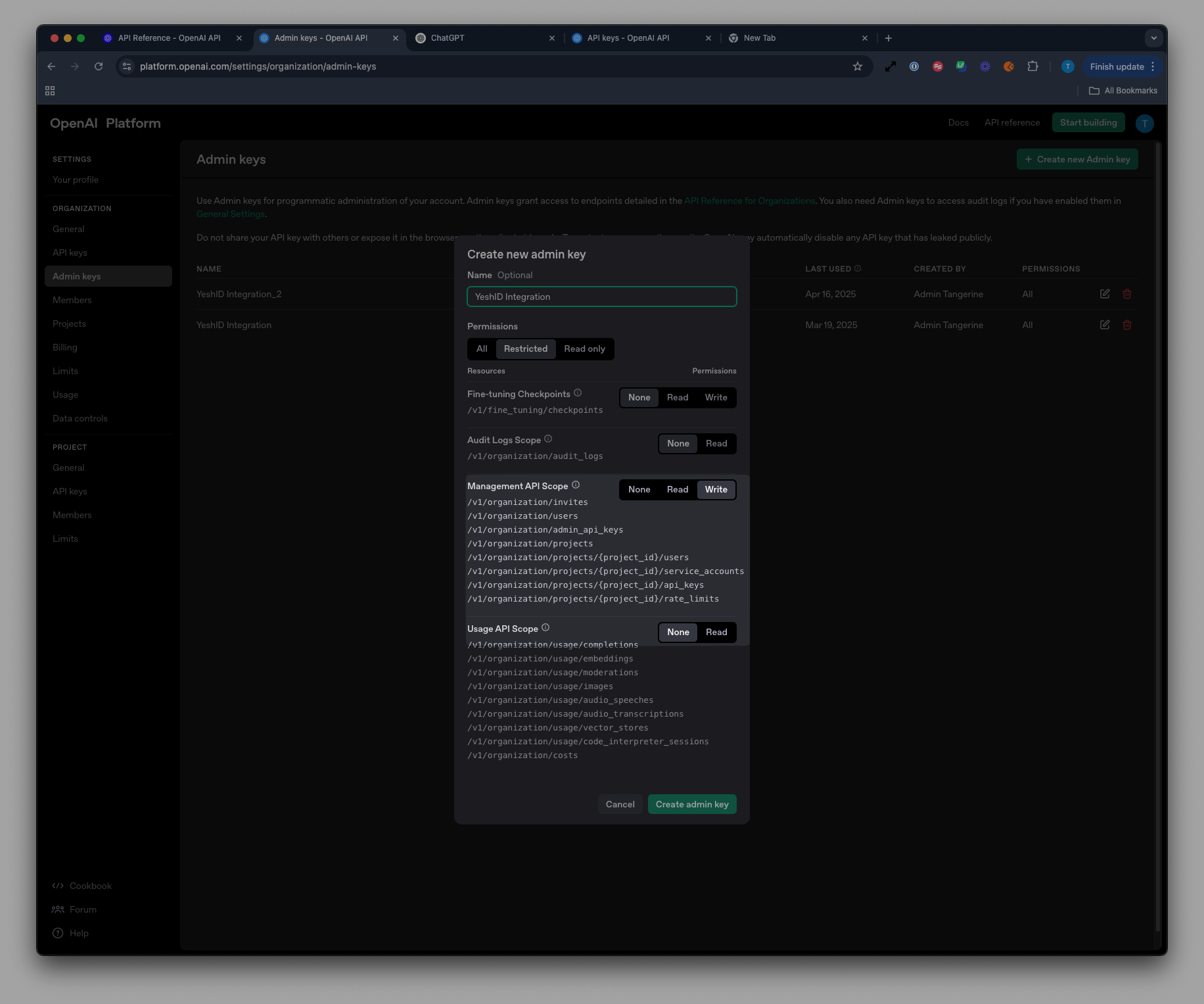
1. Create an Admin Key in OpenAI
Navigate to https://platform.openai.com/settings/organization/admin-keys
Create a new Admin Key and assign it
allpermissions OR ensure it has the relevant permissions for the Management API ScopeReadfor List UsersWritefor Create and Delete Users
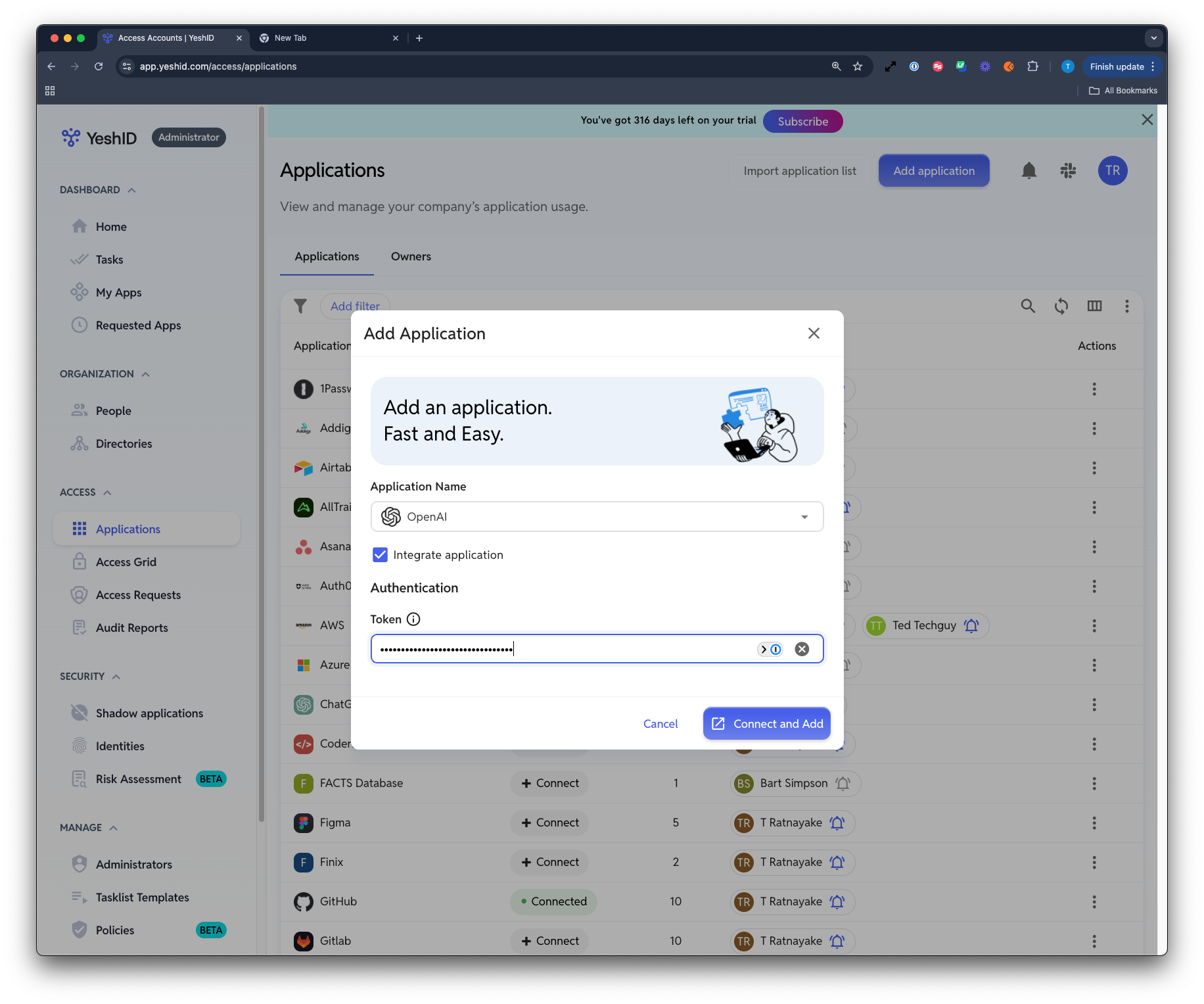
2. Use the API key when adding OpenAI as a new application
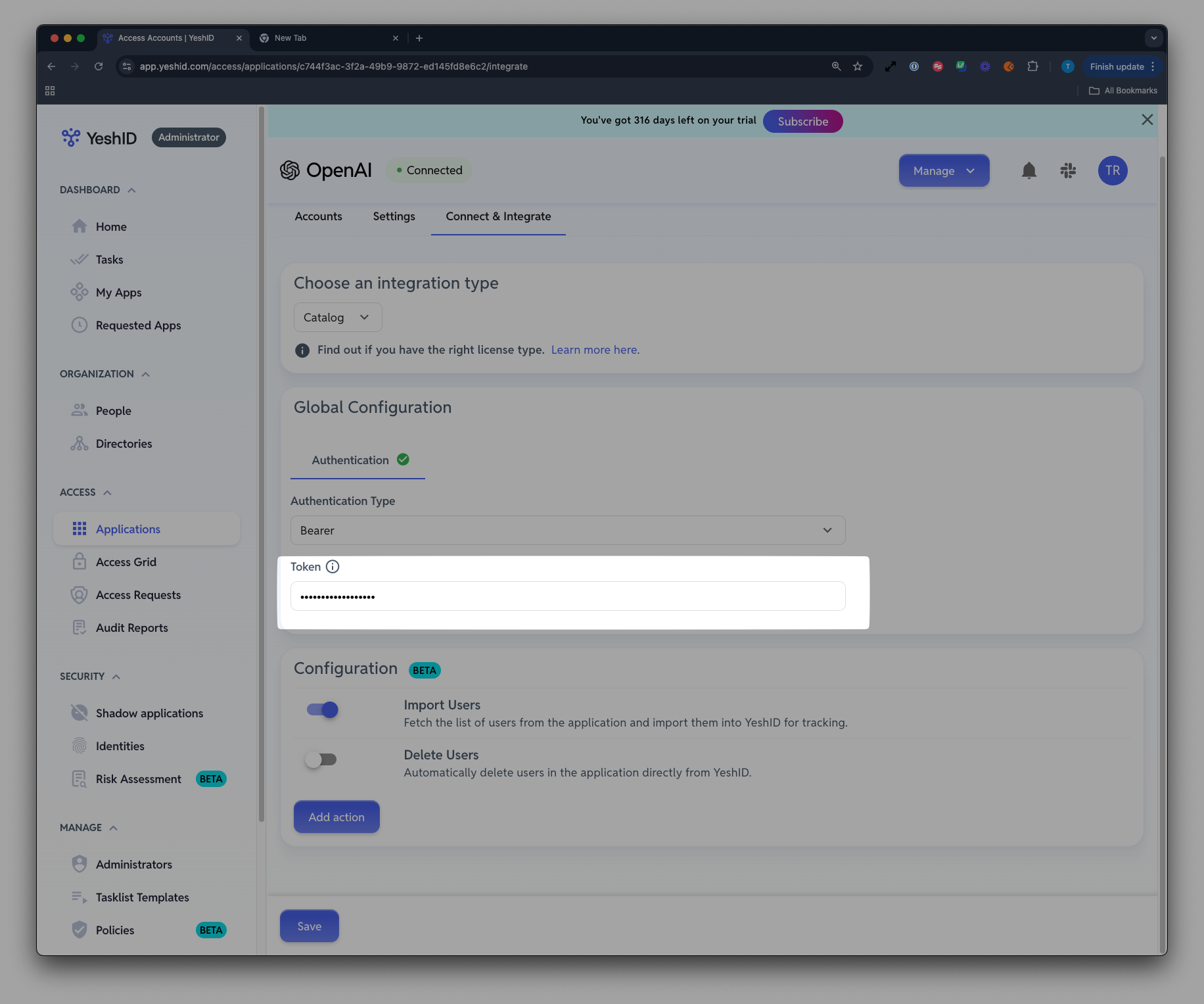
3. If OpenAI already exists, add it in the Connect and Integrate page
FAQ
The most common issue is if YeshID admins try to use a personal key instead of an admin key. Admin keys must be created from https://platform.openai.com/settings/organization/admin-keys