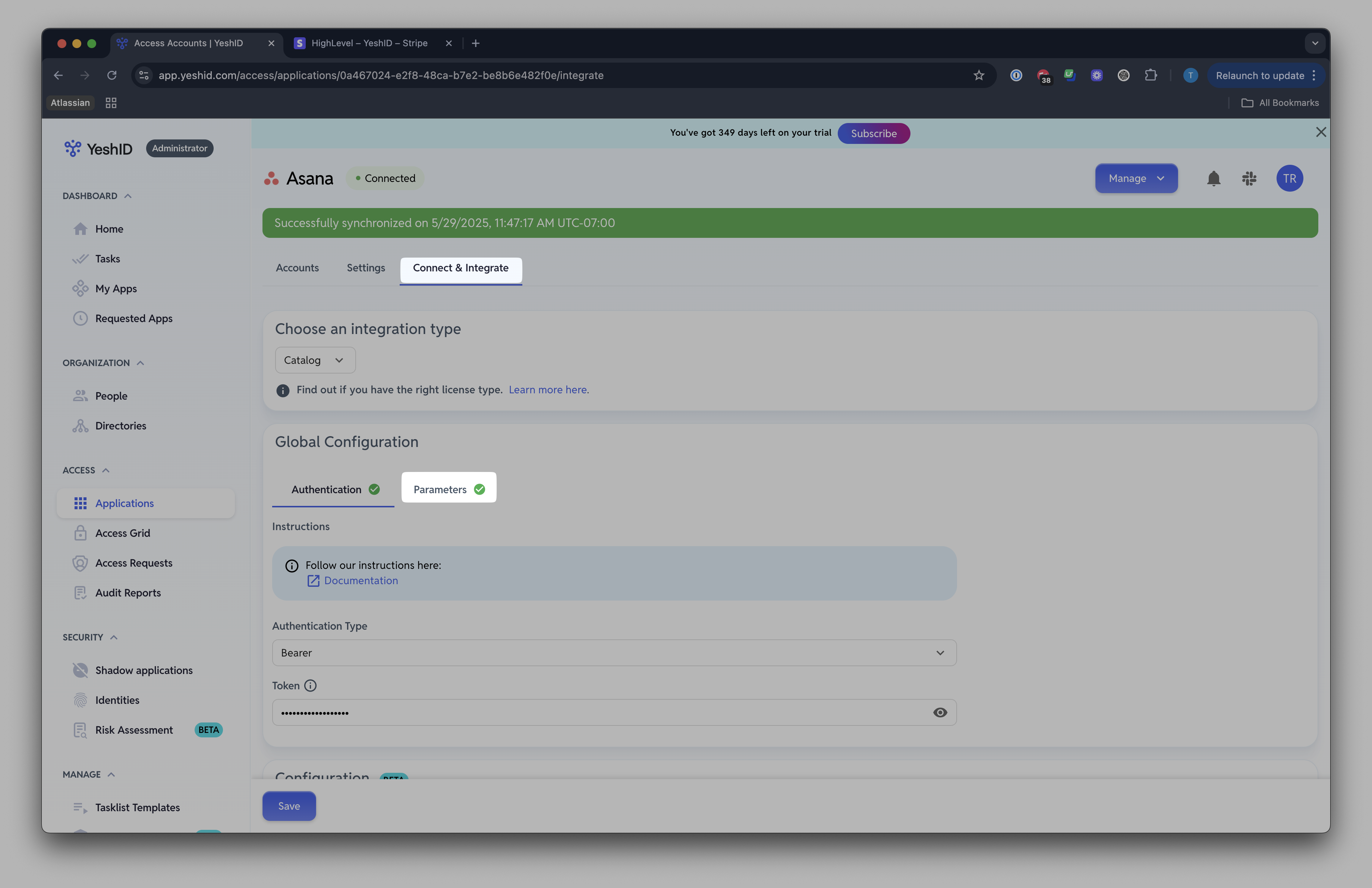
Connect & Integrate Asana
Last updated: June 26, 2025
Introduction
Connecting with Asana at this time will allow YeshID administrators to automatically keep their users in sync.
Steps
SCIM Integration
The SCIM integration requires the Enterprise plan at time of writing (26 June 2025)
1. Create a Service Account
Follow the documentation here: https://help.asana.com/s/article/service-accounts?language=en_US
Make sure you add the following scopes:
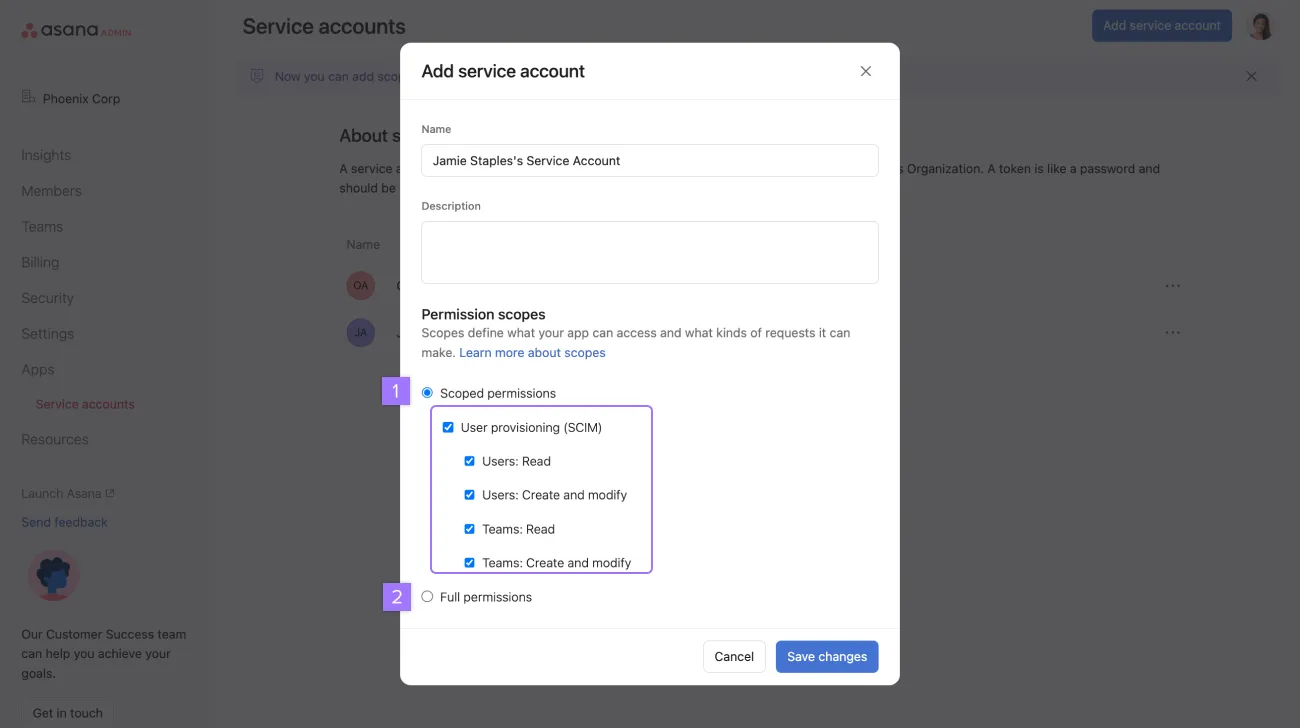
Copy the Service Access Token (SAT)
2. Connect & Integrate in YeshID
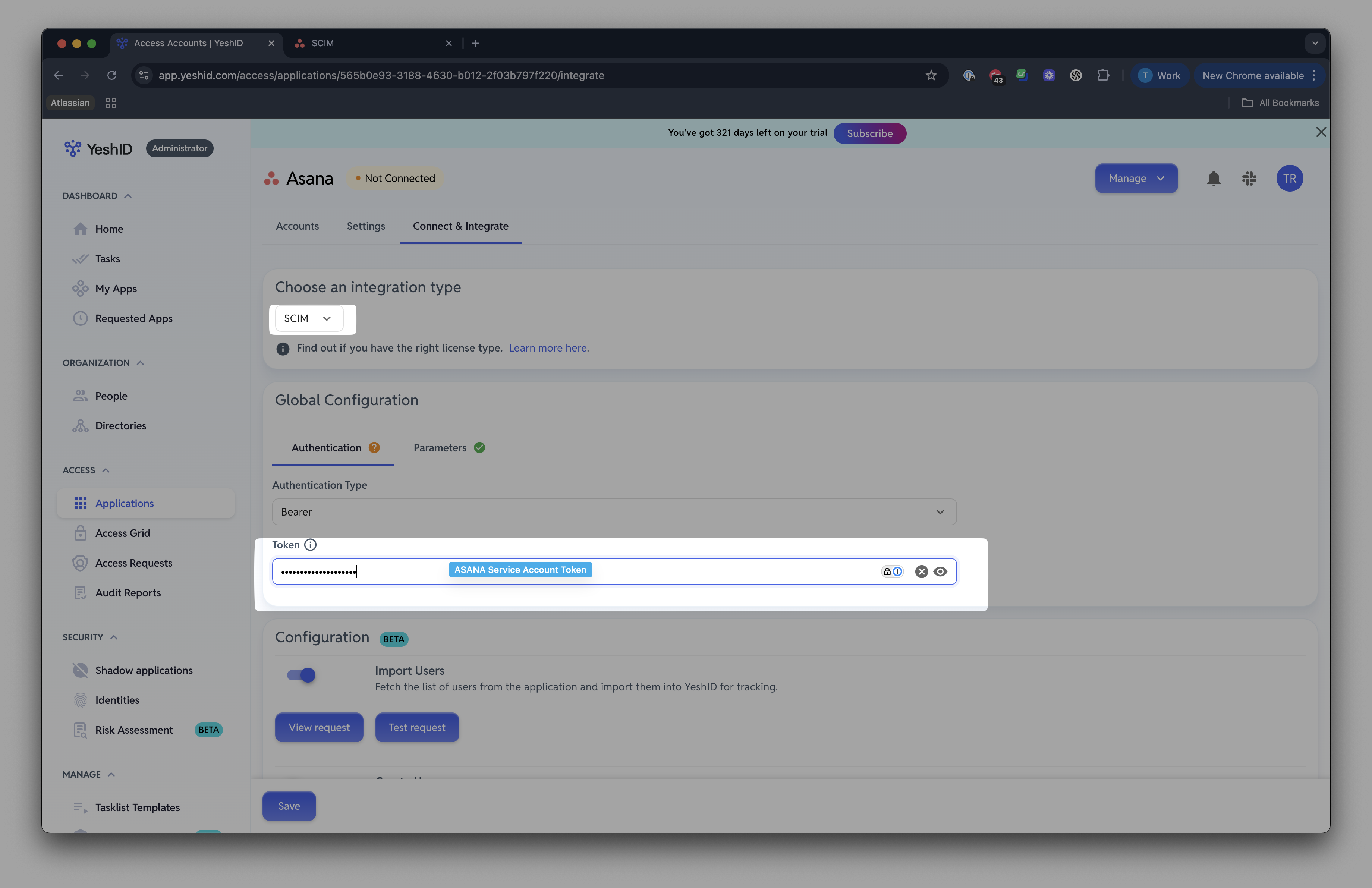
In Asana, click "Connect & Integrate"
Use Integration type
SCIMAdd your Asana Service Account Token
Click Parameters and add the following
Endpoint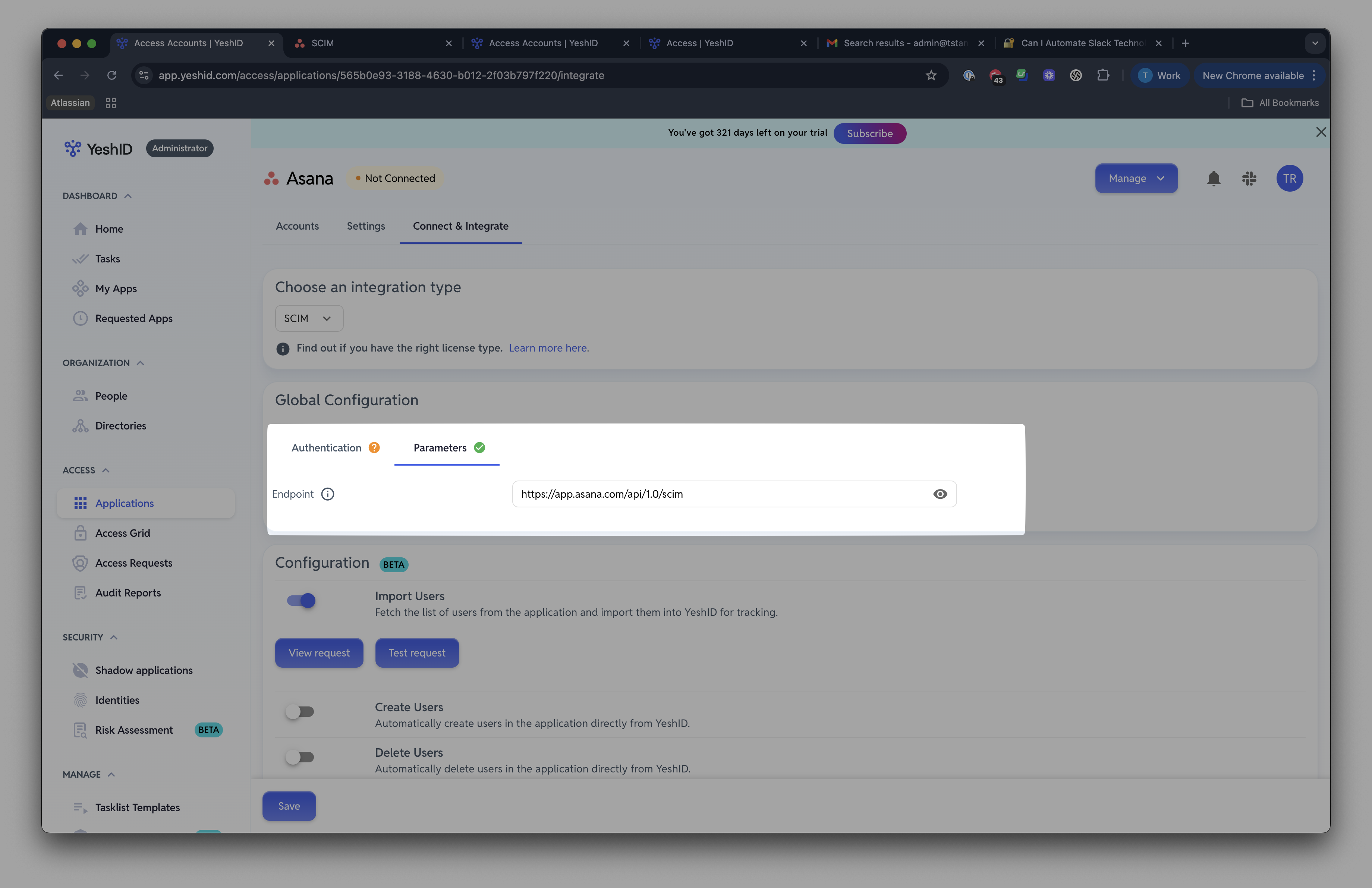
Check off
Import Usersand clickTest Request
API Integration
1. Create an API key in Asana
By navigating to https://app.asana.com/0/my-apps
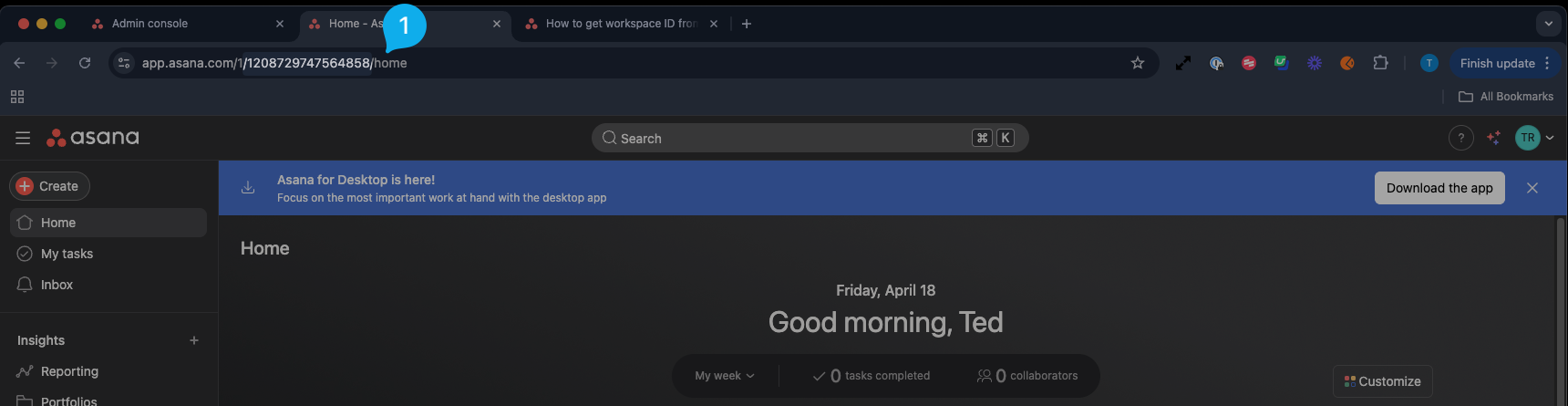
2. Note your Asana Workspace ID
You can find your Asana workspace iD by navigating to your Asana home page
3. Include the API Key and Asana Workspace ID when creating a new Application
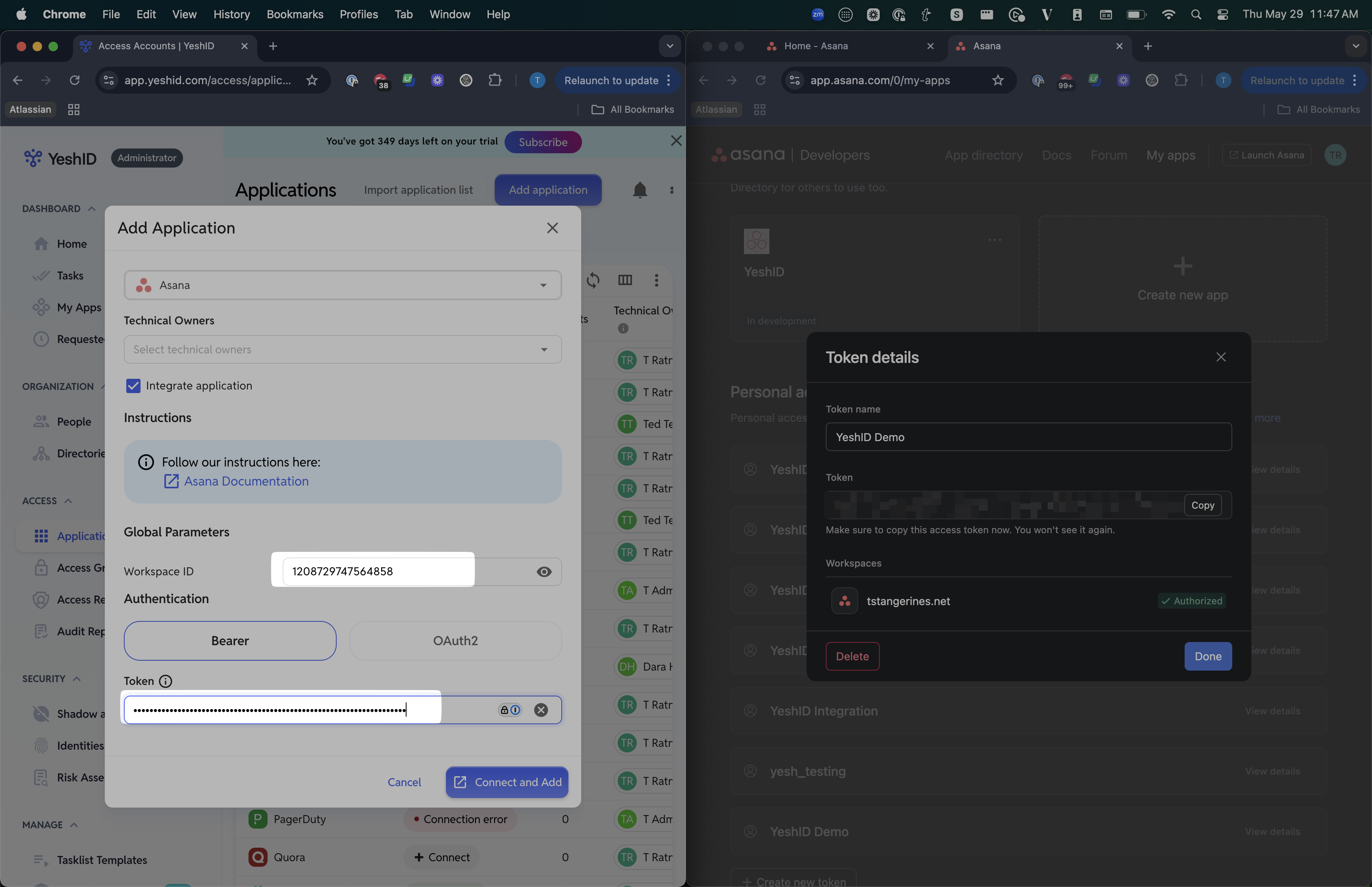
4. If Asana already exists, add the API key and Workspace ID in the Connect tab