Connecting to Okta as a Directory
Last updated: October 5, 2026
Introduction
This guide covers using YeshID’s Okta integration to connect your Okta organization as a directory.
Once connected, YeshID imports:
Users, including supported profile information, account status, and last sign-in information
MFA enrollment indicators
Groups
Group memberships
Active Okta applications
When application-access imports are configured, YeshID also imports users’ assignments to those applications.
With the appropriate API-token permissions and management configuration, YeshID can also manage:
User creation, profile updates, activation, suspension, deactivation, and deletion
Adding users to and removing users from Okta-managed groups
Generate your API Key in Okta
Log into Okta as a SuperAdmin and navigate to Security > API
Navigate to Tokens > Create Token
Name the token something memorable, like YeshID, and click Create
Save the token information somewhere safe, we will use this information in the next section
Steps to Integrate
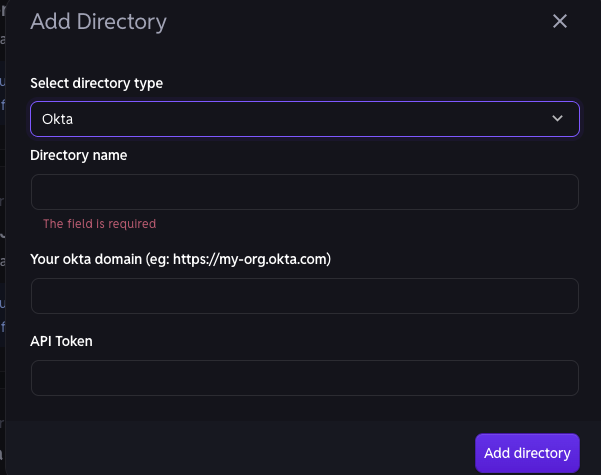
Navigate to Organization > Directories and click Add Directory
Choose Okta and you'll be presented with a pop-up asking for information