How-To Enable Auto-Provisioning for Google Workspace Licenses
Last updated: July 29, 2025
Symptoms
YeshID executes an Onboarding Task List but users are not able to sign-in and require the manual assignment of a license in Google Workspace to gain required functionality.
Emails are bounced
Users are unable to sign-in
Cause
Google Workspace settings are configured to auto assign an insufficient license type (i.e. Google Cloud Identity Free)
The following steps require being an Admin in Google Workspace.
Resolution
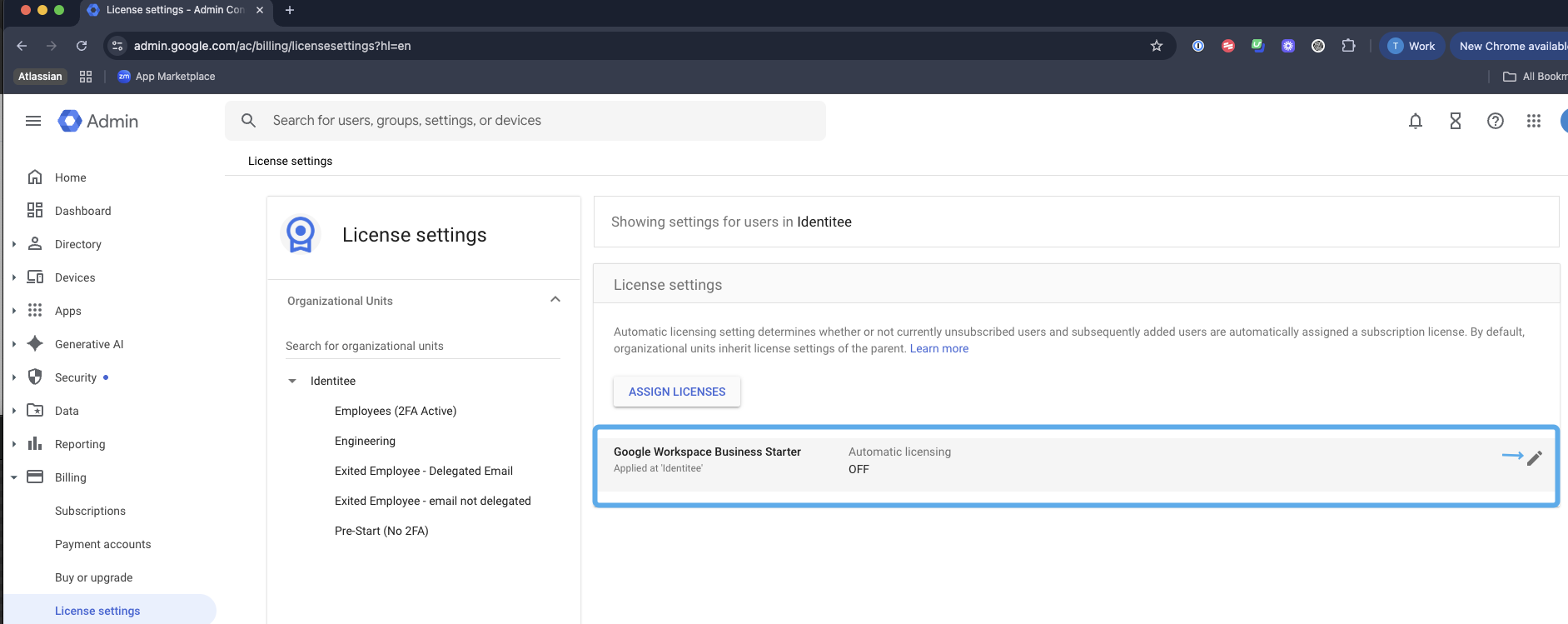
Sign into Google Workspace and navigate to the License Settings under Billing https://admin.google.com/ac/billing/licensesettings?hl=en
For your base level subscription (i.e. Google Workspace Business Starter ), hover and click the pencil icon.
Ensure that this is set to
ON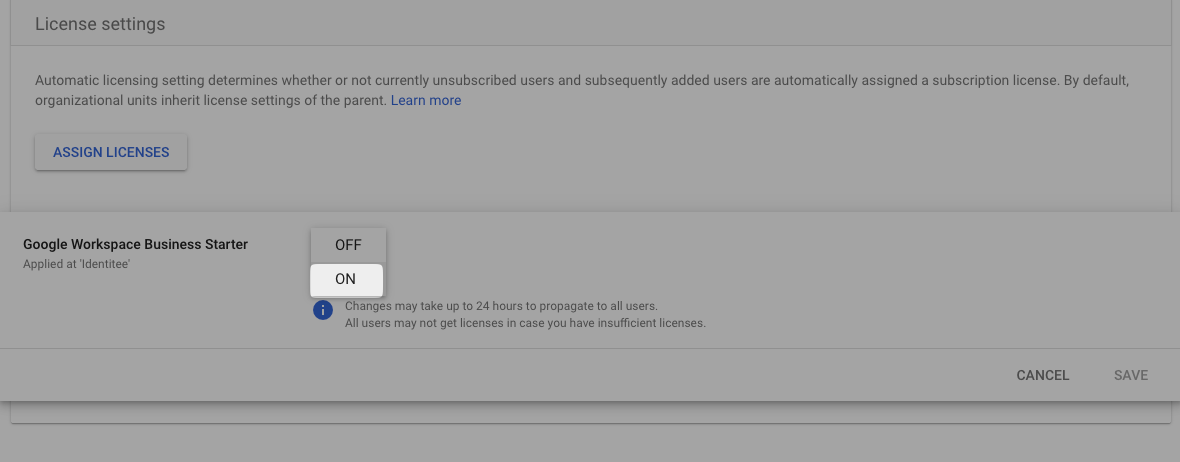
Click
SAVE
Note that even after assignment, this may take up to 24 hours to propagate to all users.