Connect & Integrate Freshdesk
Last updated: May 27, 2025
Introduction
Connecting with Freshdsek at this time will allow YeshID administrators to automatically keep their users in sync.
Steps
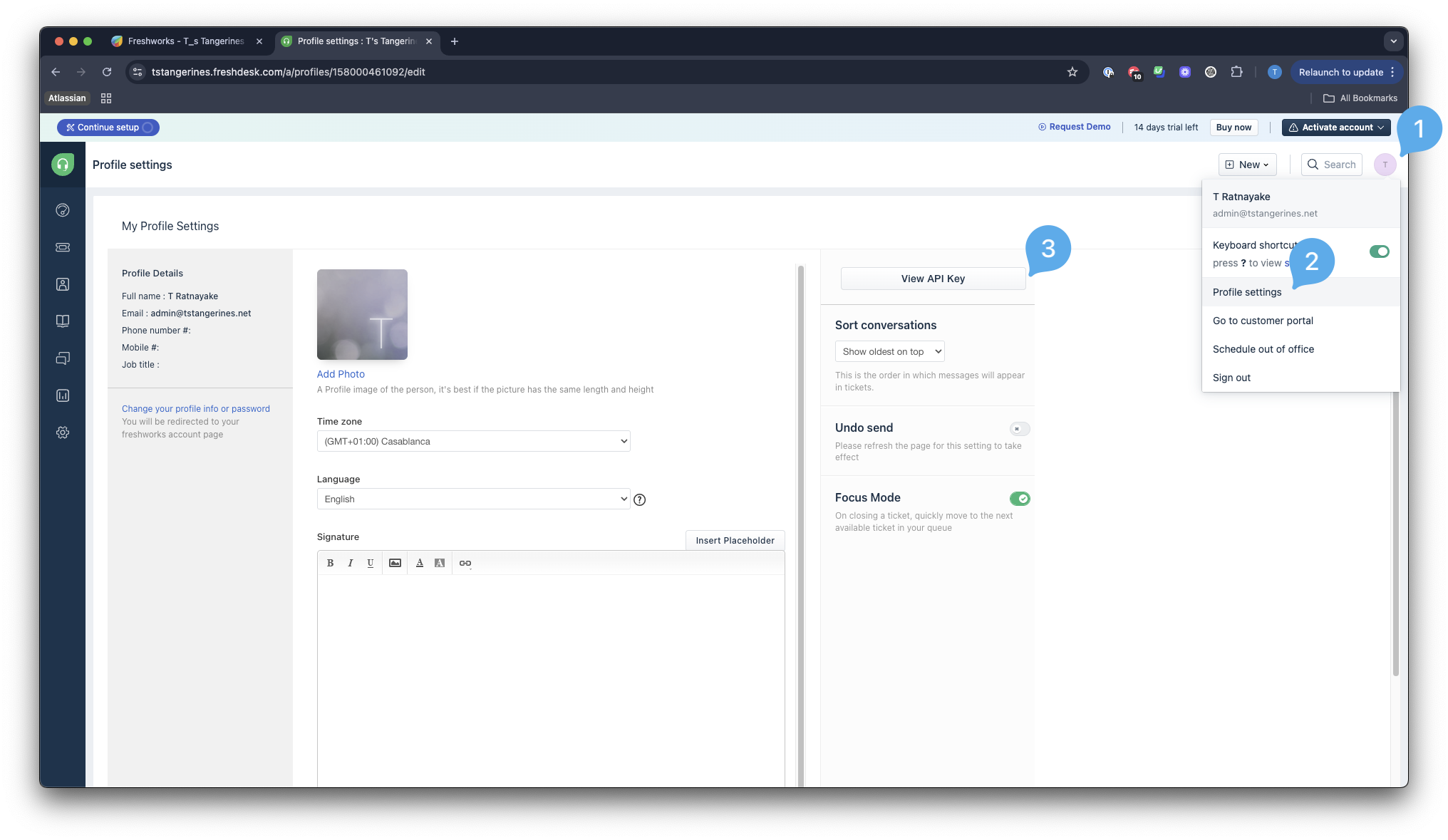
Get your Freshdesk API Key from logging into your Freshdesk account, clicking your Profile > Profile Settings > View API Key
In YeshID, add your API key as the username, and
Xas the password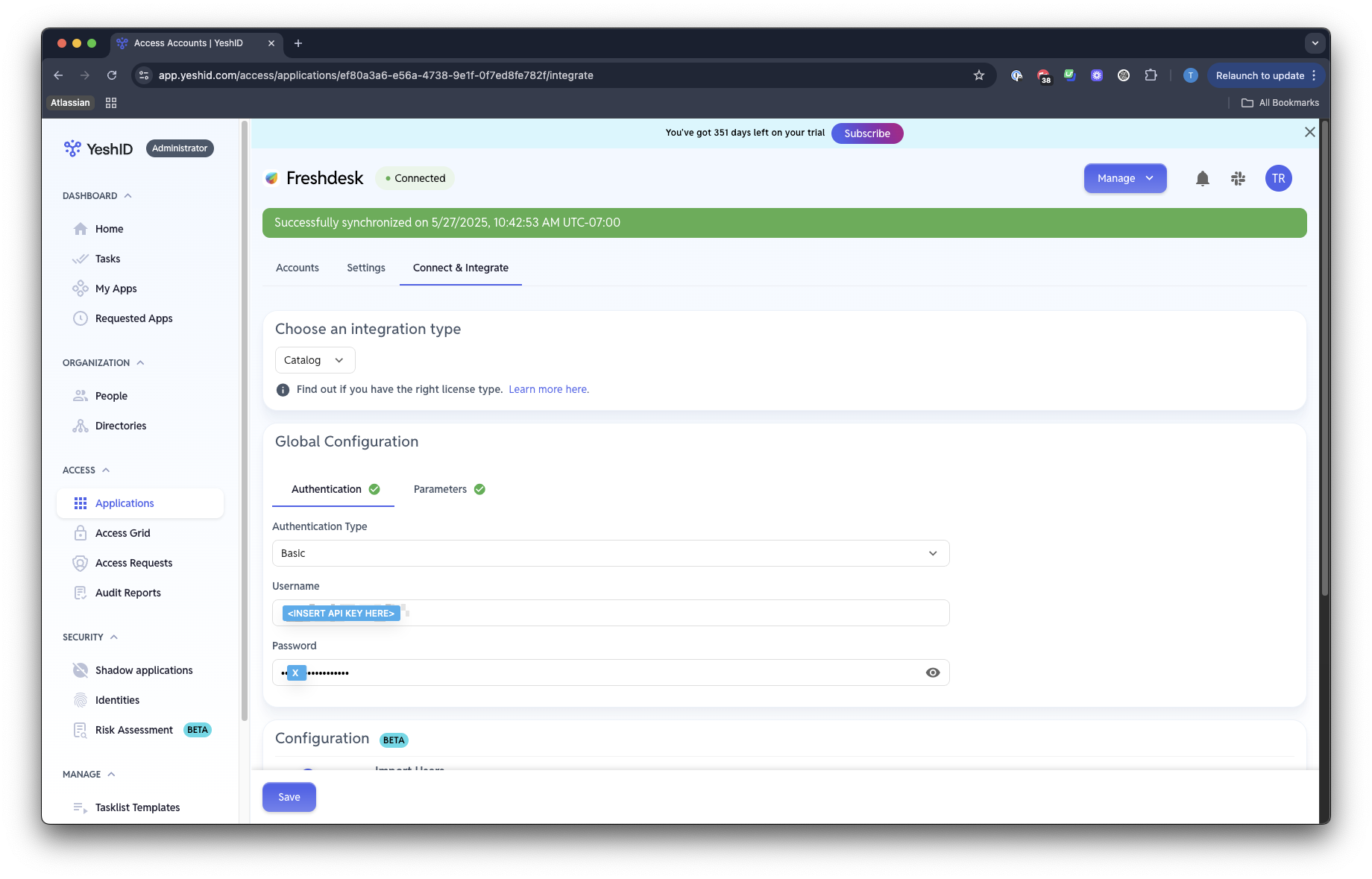
Reference: https://developers.freshdesk.com/api/
In
Parameters, add your Helpdesk domain as seen in the login URL for your Freshdesk instance: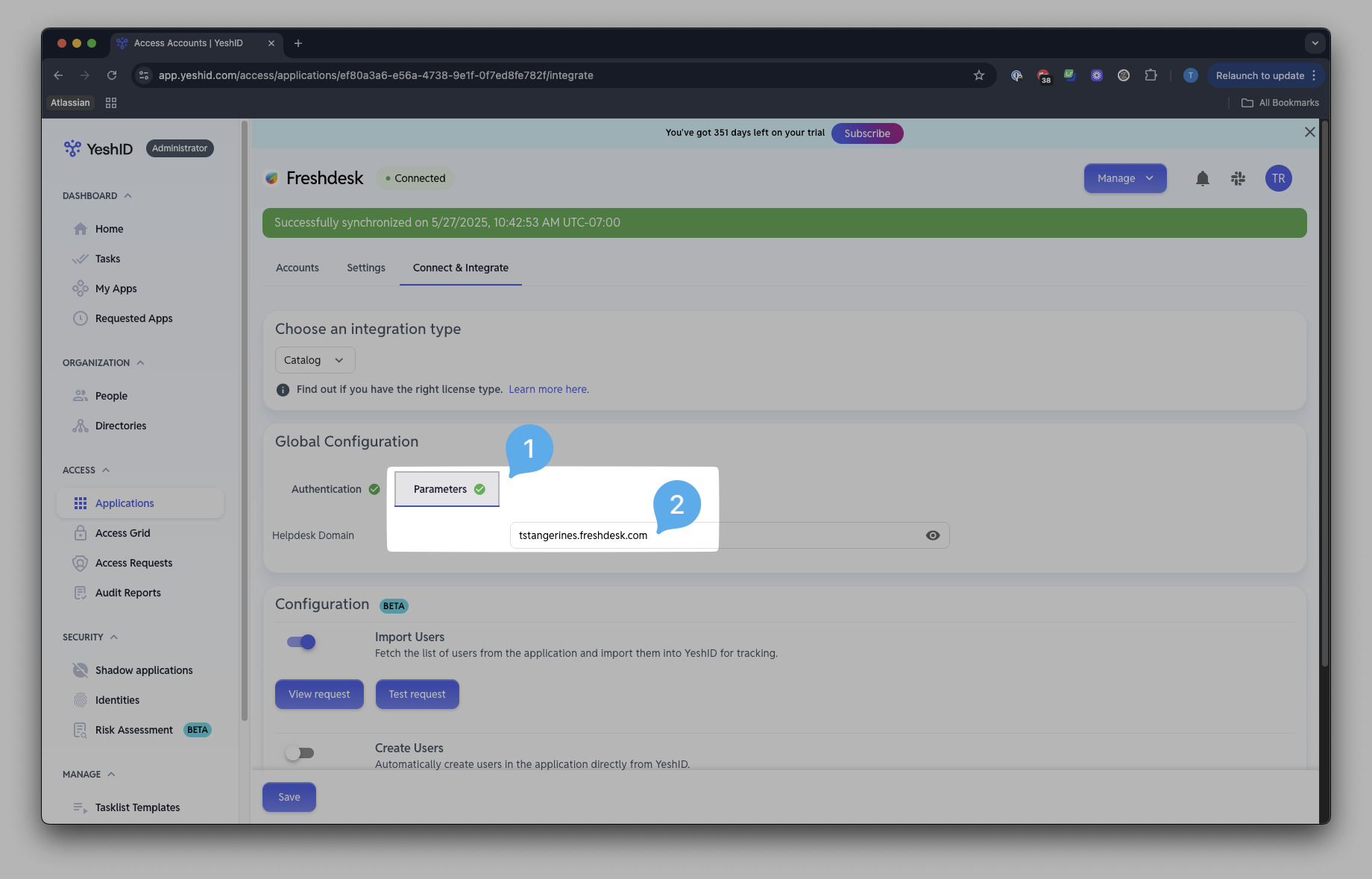
Click
Test Request✅