Policies in YeshID [BETA]
Last updated: June 12, 2025
This feature is currently in BETA which means there may be some errors from time to time. Please let us know if you run into anything via our Community Slack (Or in comments below!)
Introduction
With YeshID, you can create policies to help take action when a specific CEL (Common Expression Language) expression is evaluated as true. Currently, the actions that are supported are the ability to send a Slack notification via the YeshID bot. Policies are evaluated periodically on every directory sync (Approximately once very 24 hours).
Think about the policies being the this in
If this (YeshID Policy), then that (Log an event, notify in Slack)
Components
Policies
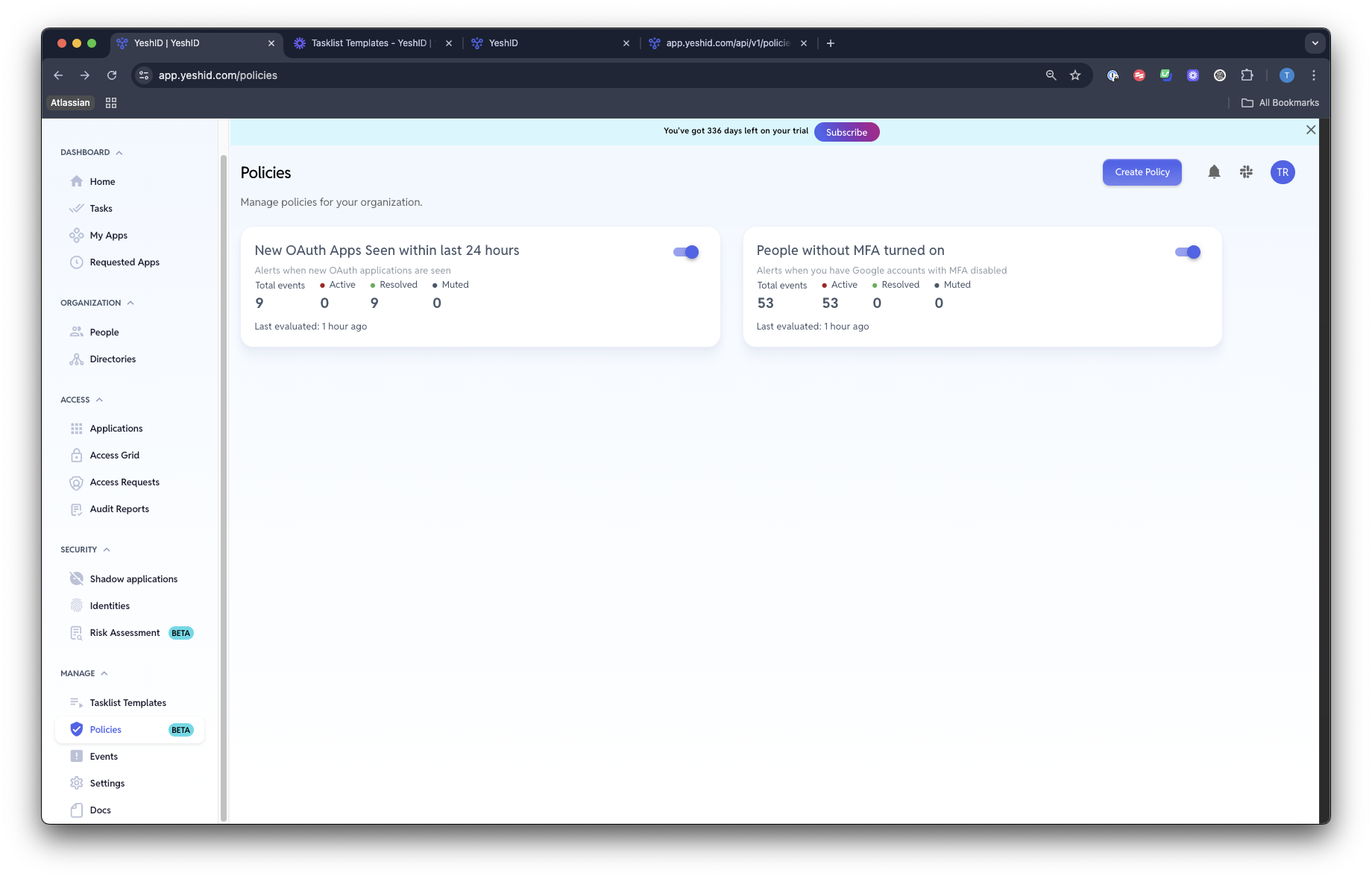
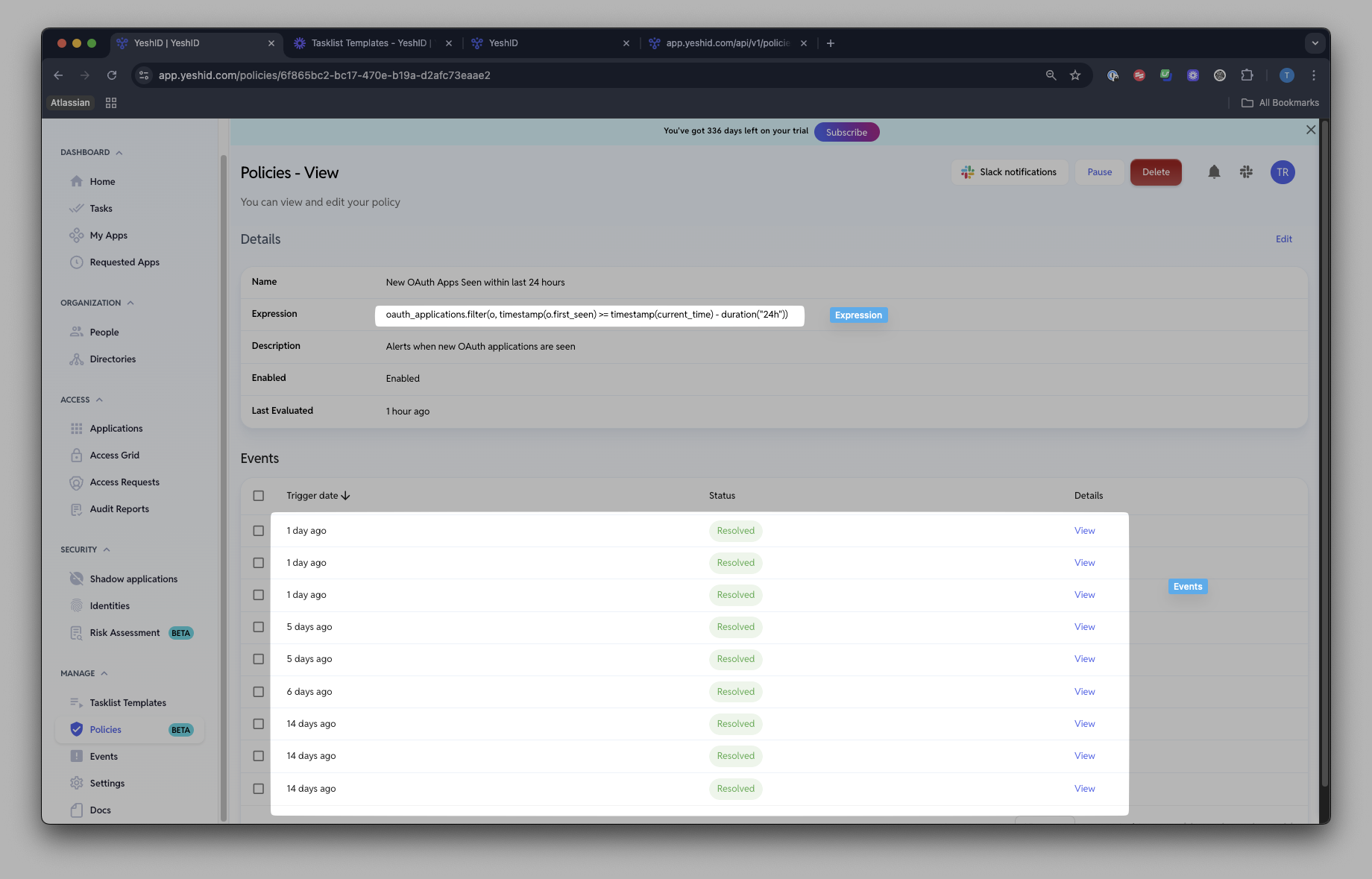
A policy in YeshID is an object that's defined by CEL that when evaluated (every directory) as true, will create an event. These events can then be viewed, or set to send a Slack notification
Common Expression Language (CEL)
Policies are written in written in Google's Common Expression Language and the beauty of using it with YeshID comes from being able to query your IAM resources.
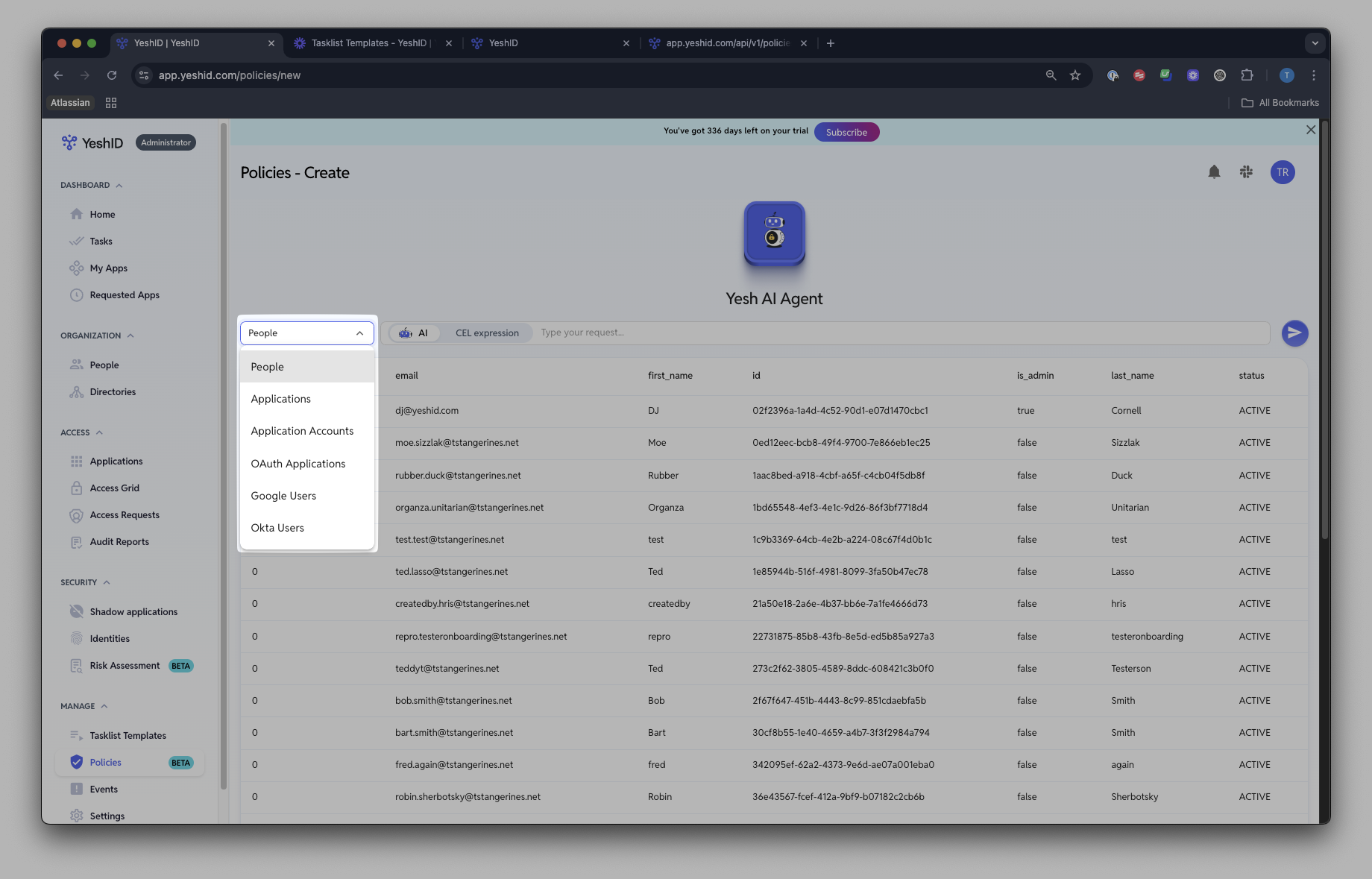
Do I need to know how to write CEL? Nope! With YeshID, you can use the prompt bar which will generate the CEL expressions under the hood.
Resources
You can use Yesh to create expressions with CEL to query your resources. Resources are what appears in this panel in YeshID. The resources currently supported are as follows.
A more detailed list (along with CEL schema) is provided below in Resources
Notifications
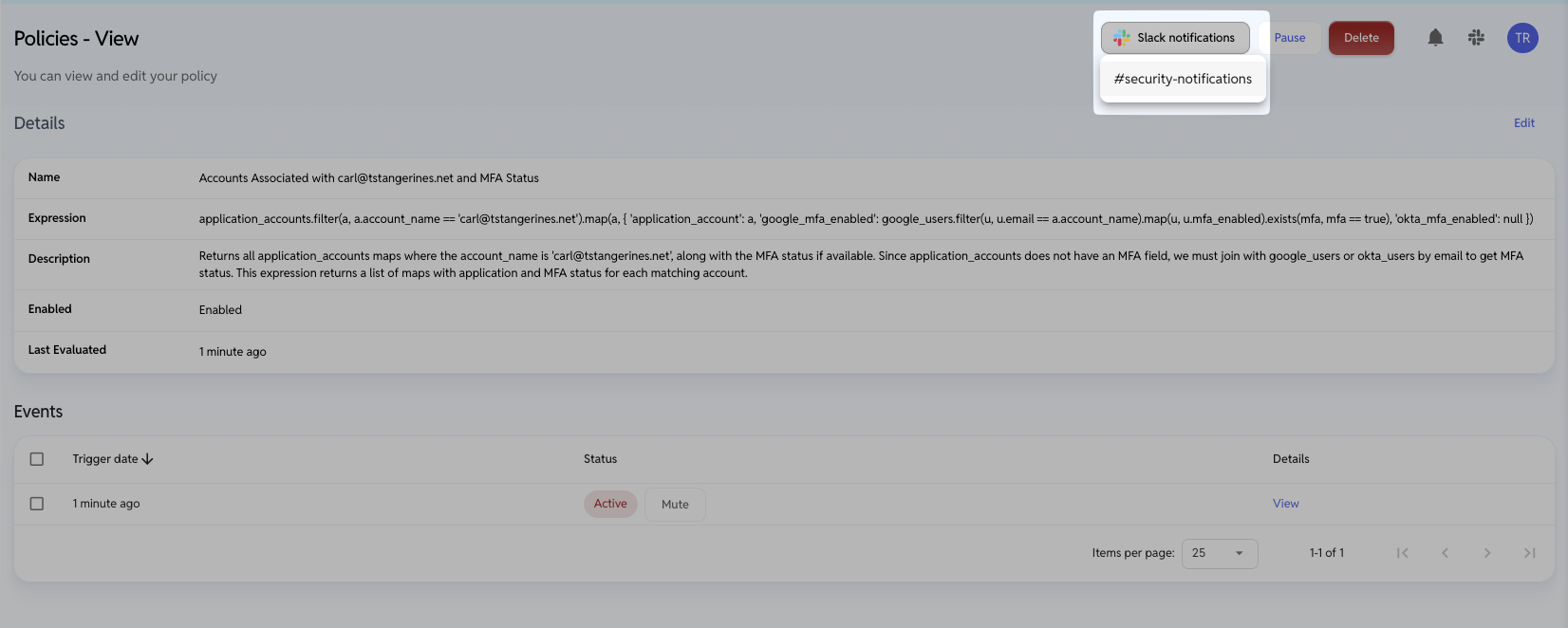
You can set-up your policies to notify a Slack channel when they are evaluated as true. See below.
Steps
Creating a Policy
Navigate to Policies and click "Create"
Type in your expression
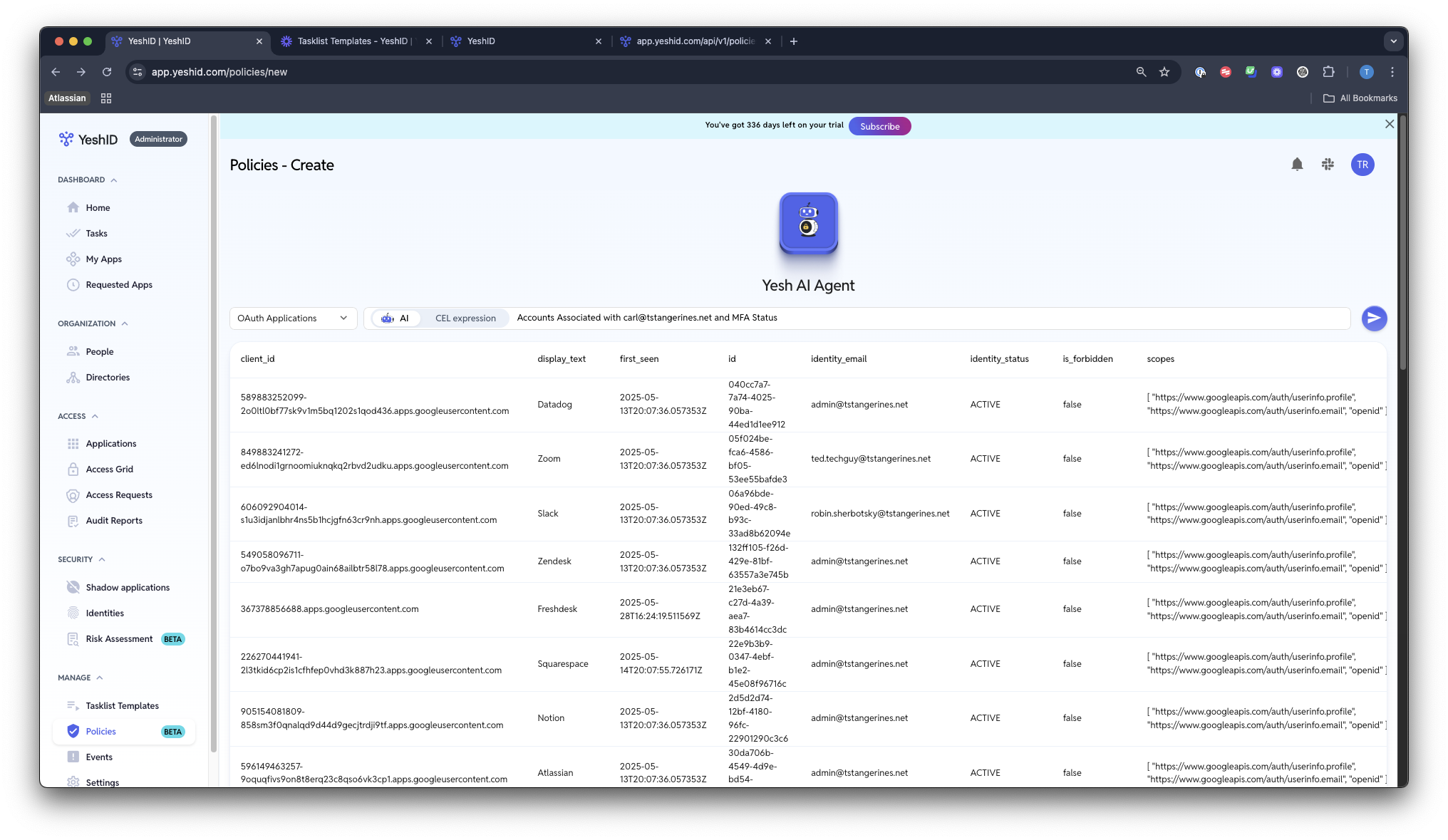
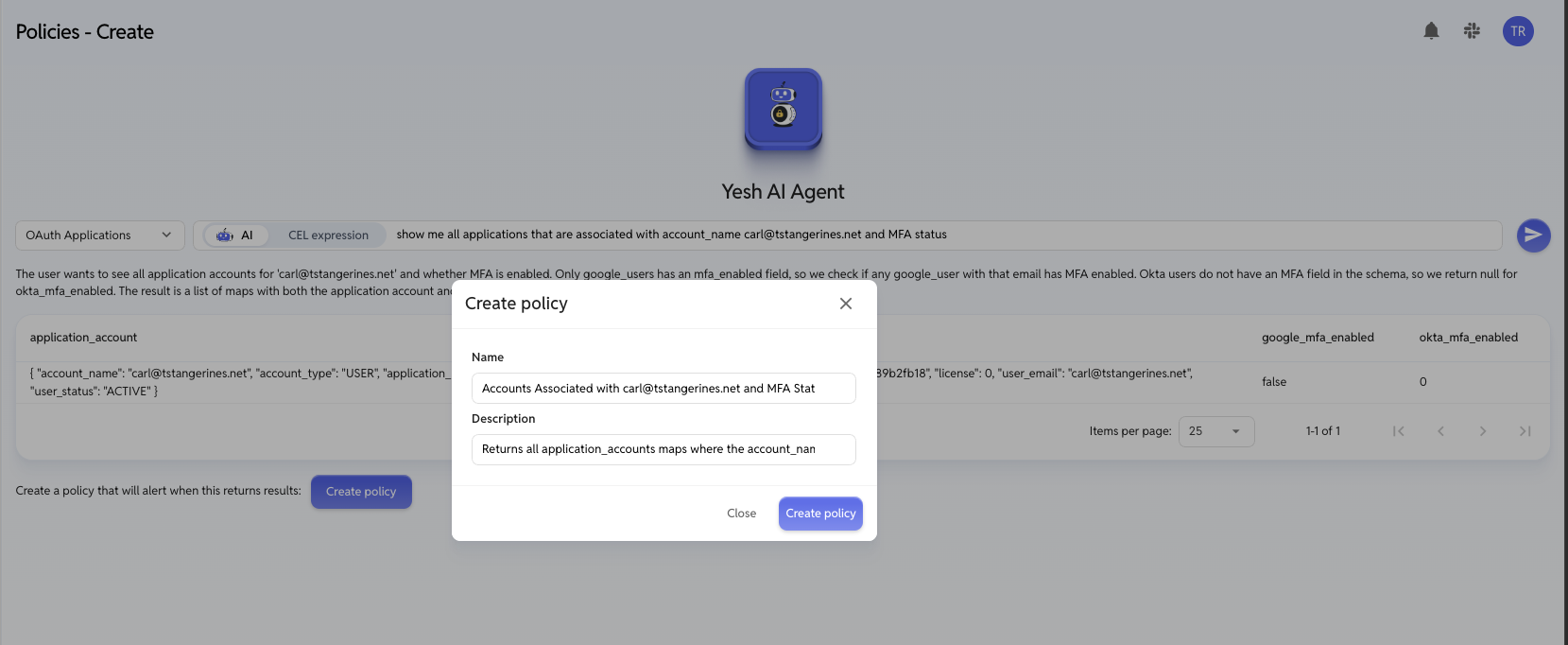
Click "Create Policy"
Set up Slack Notifications (OPTIONAL)
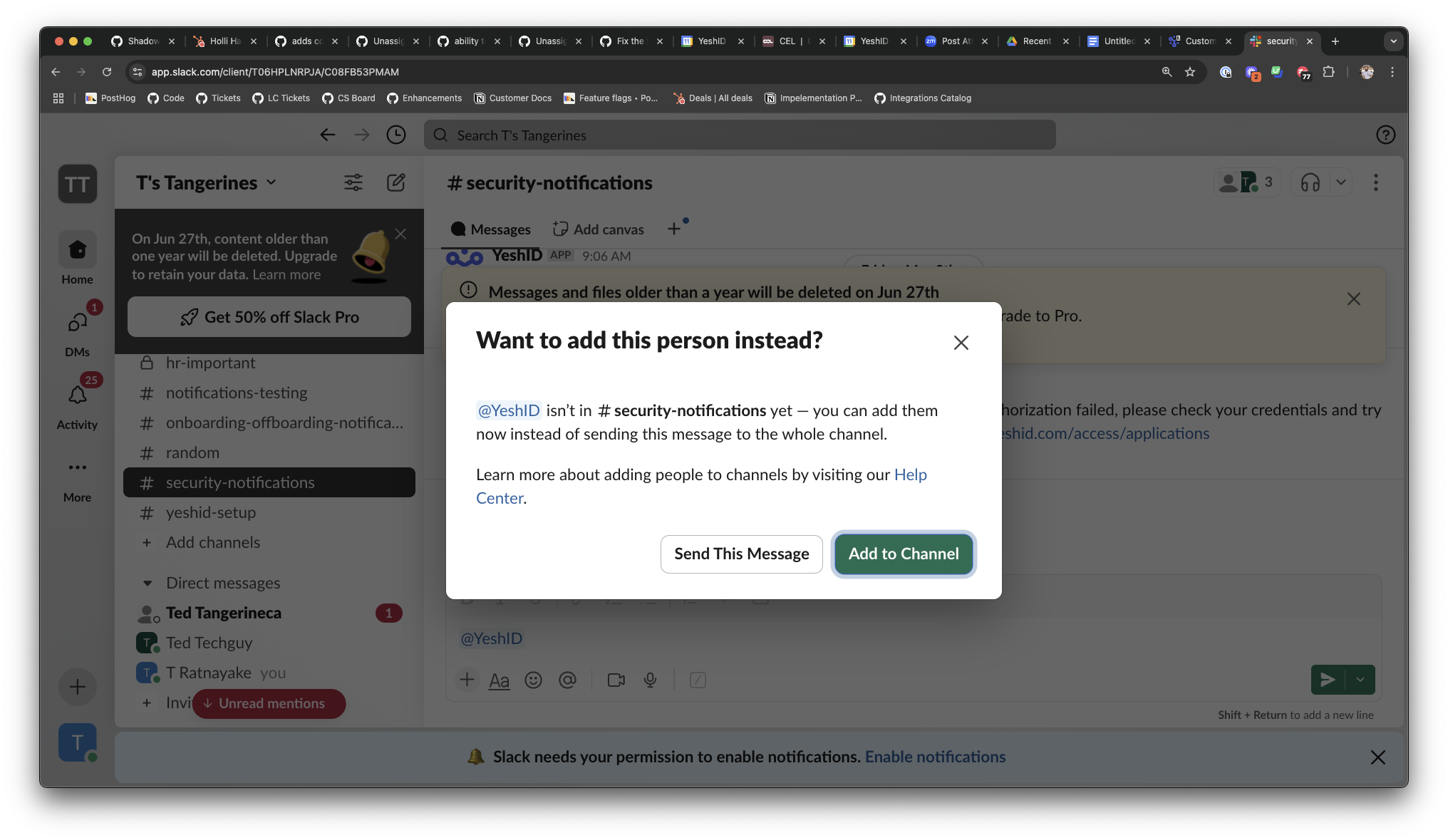
This requires that you have (1) connected the Slack application, and (2) that you have set up the YeshID Bot from Settings > Notifications.
A channel must have the YeshID bot invited to it before it can have slack notifications routed to it.
What can I query?
You can query any of the fields that show up for a resource
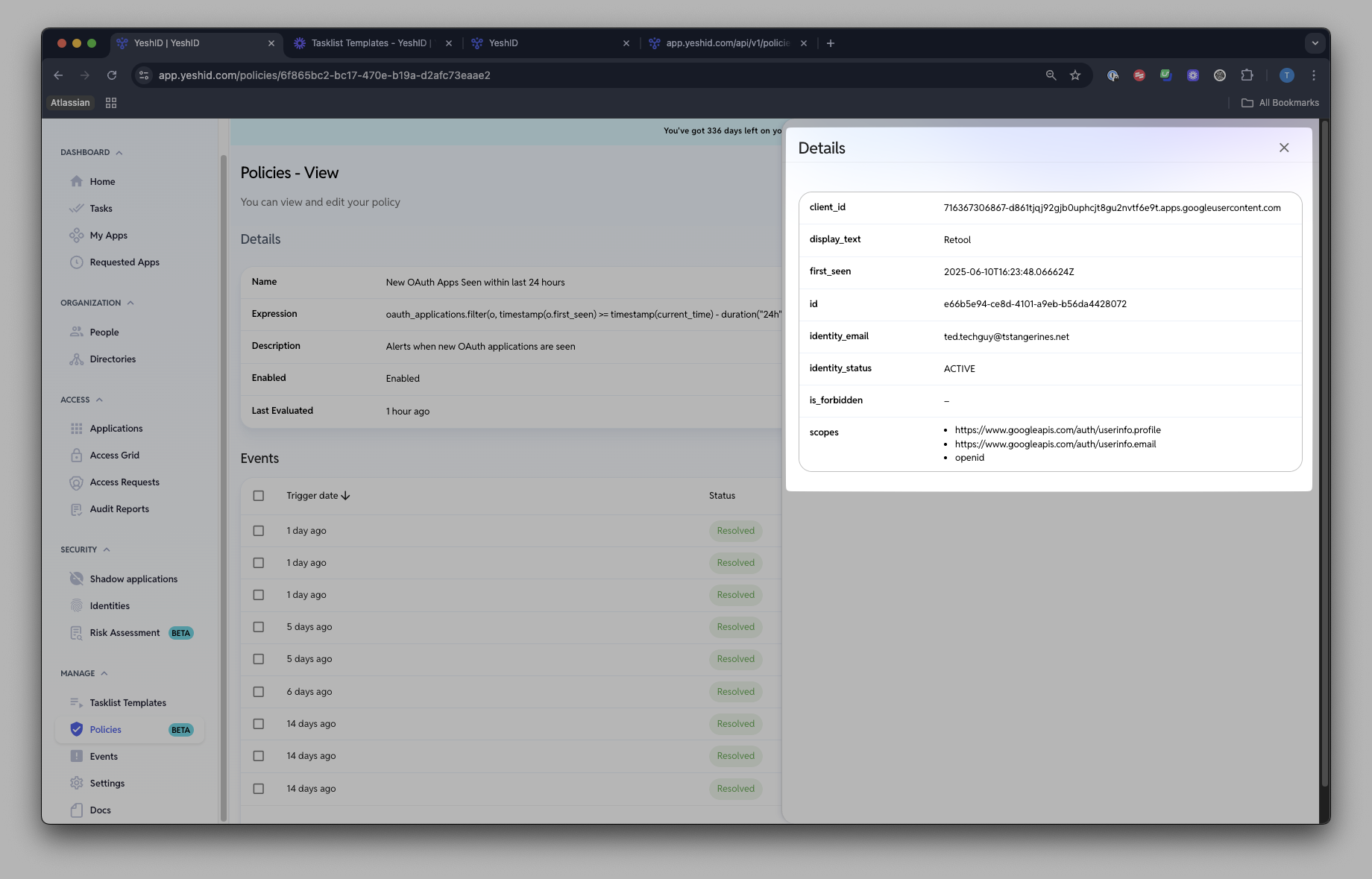
For example, the oAuth Applications resource returns the following:
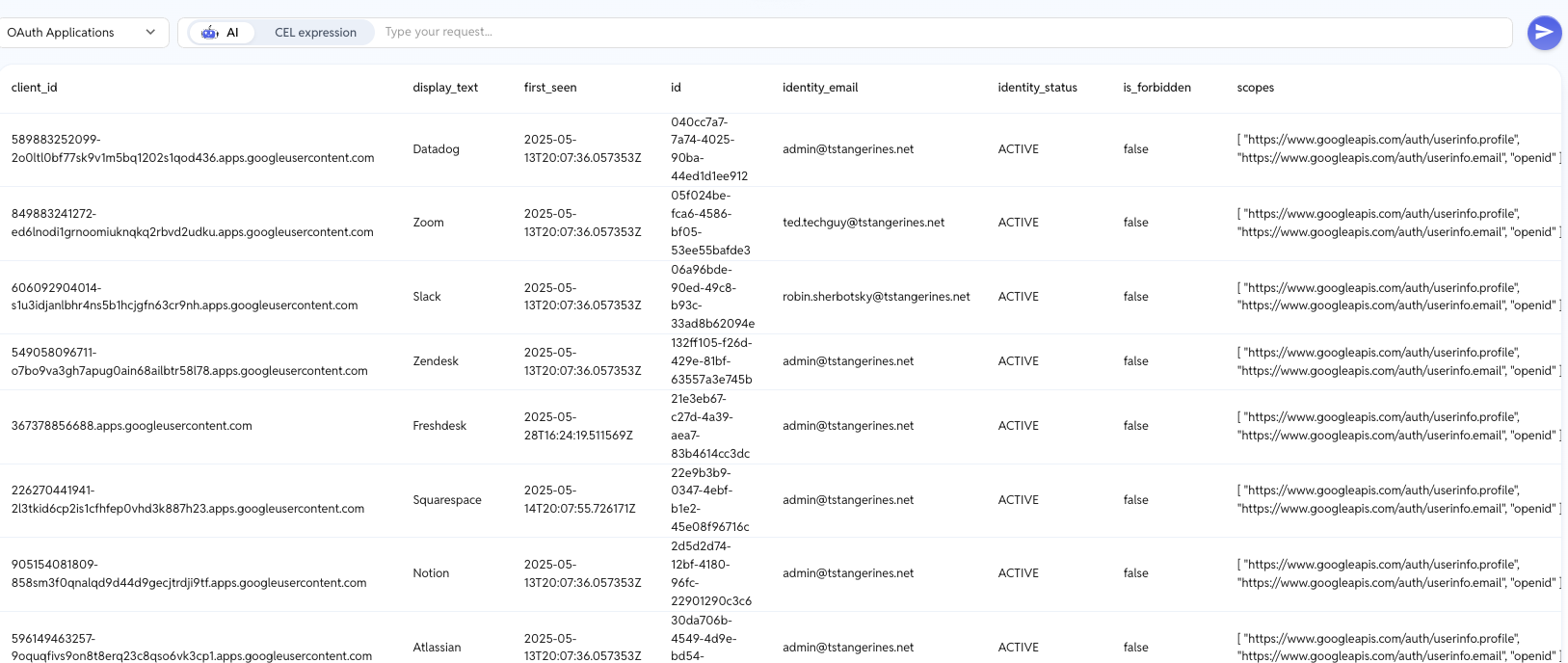
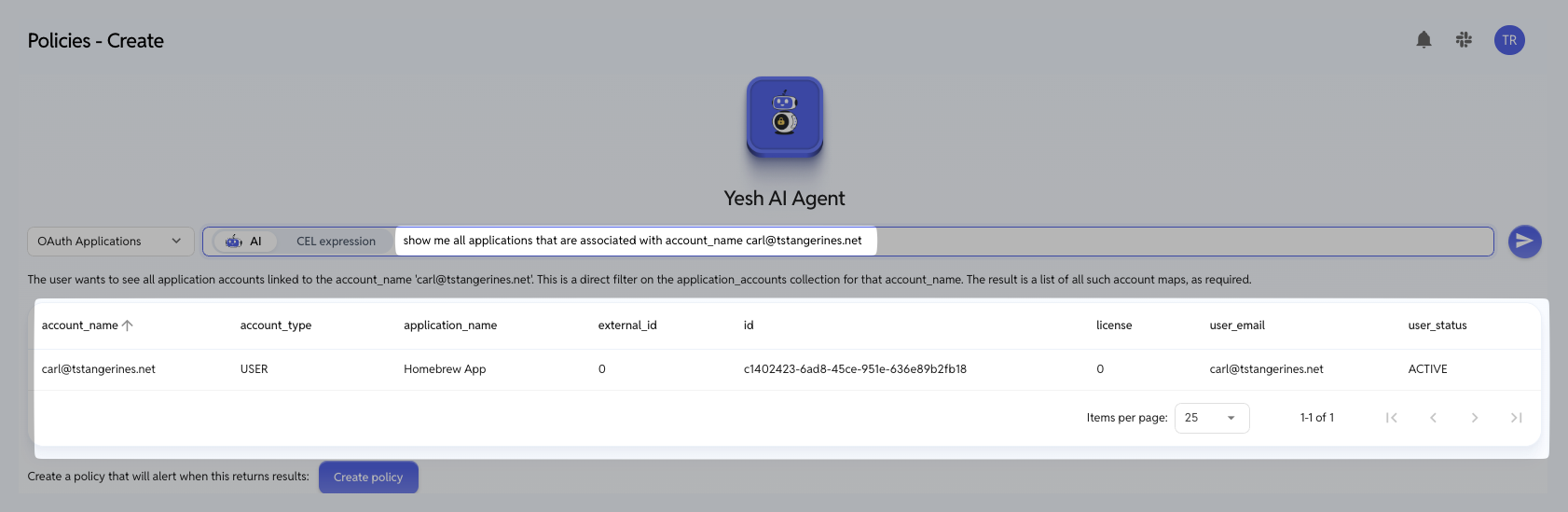
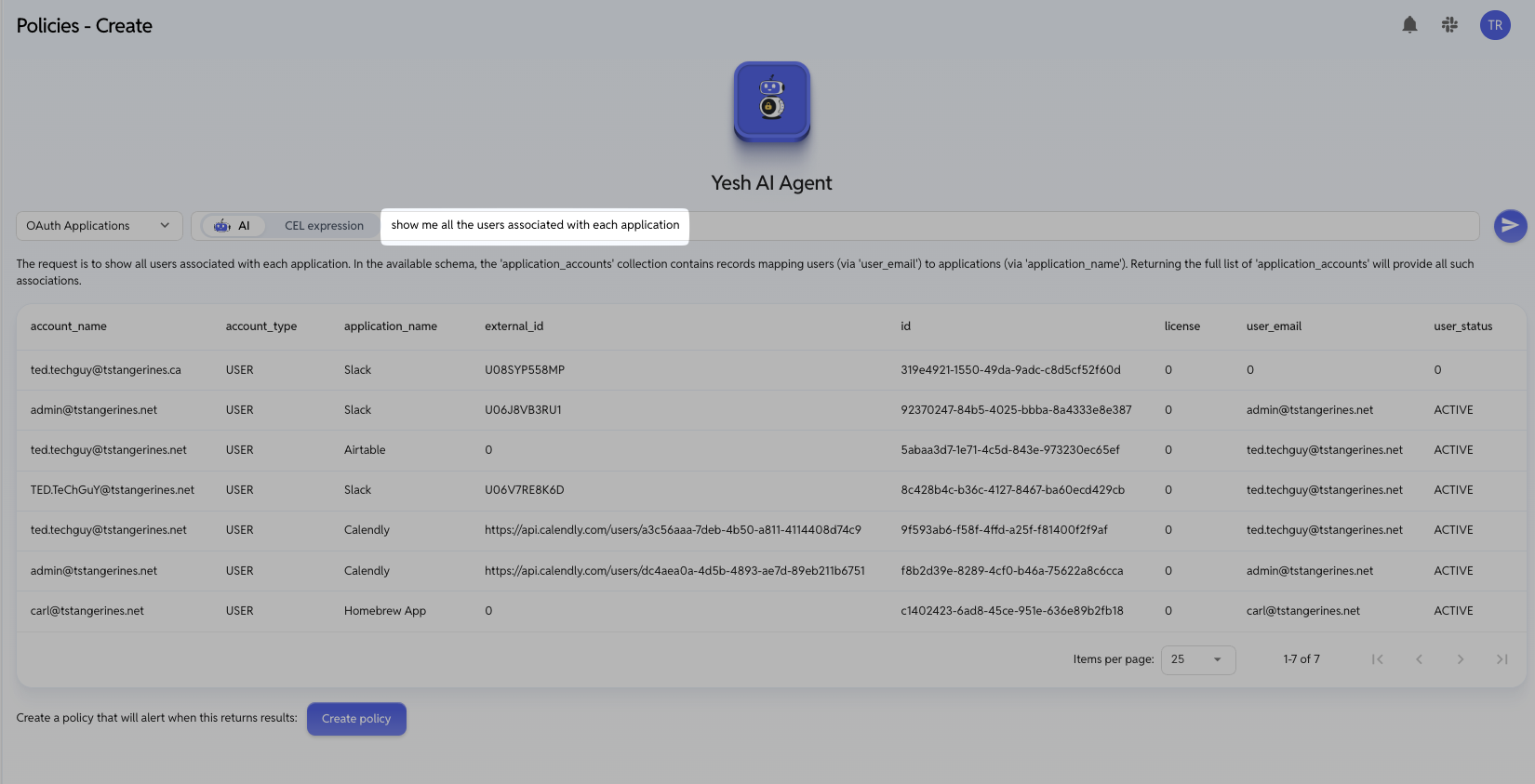
Based on this you can craft a query for anything that shows up in this table. For example:
show me all applications that are associated with account_name carl@tstangerines.net
show me all the users associated with each application
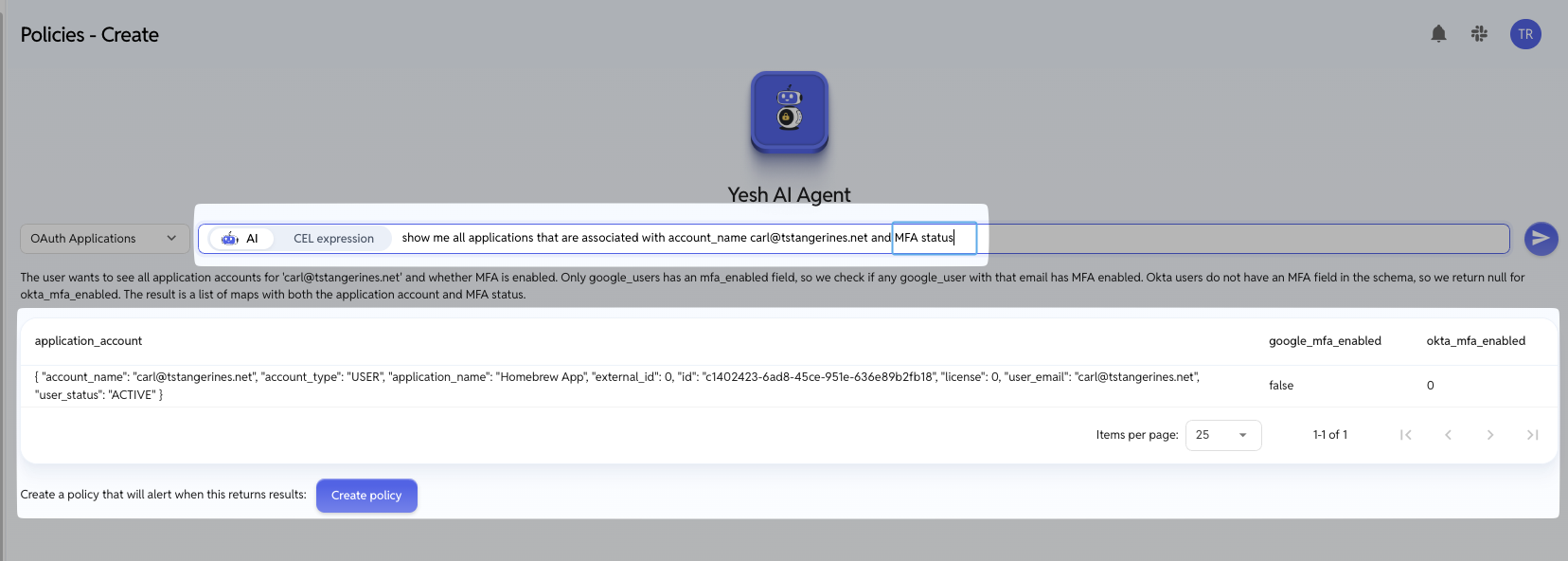
You can also cross reference between resource types
Resources
Resource |
Recipes
Evaluate for:
People with more than 3 apps:
people.exists(p, p.application_count > 3)Google users without MFA:
google_users.exists(g, !g.mfa_enabled)Applications with integration errors:
applications.exists(a, a.has_integration_error)OAuth apps with forbidden grants:
oauth_applications.exists(oa, oa.is_forbidden)Provisioned accounts for a specific app:
application_accounts.exists(aa, aa.application_name == "Salesforce")