Installing the YeshID app on Microsoft Teams
Last updated: July 30, 2025
Introduction
By following this guide you will be able to add the YeshID app to Microsoft Teams allowing you to:
Get YeshID related notifications in MS Teams, as:
DM's from YeshID for any task assignees
Send & Action Access Requests from MS Teams
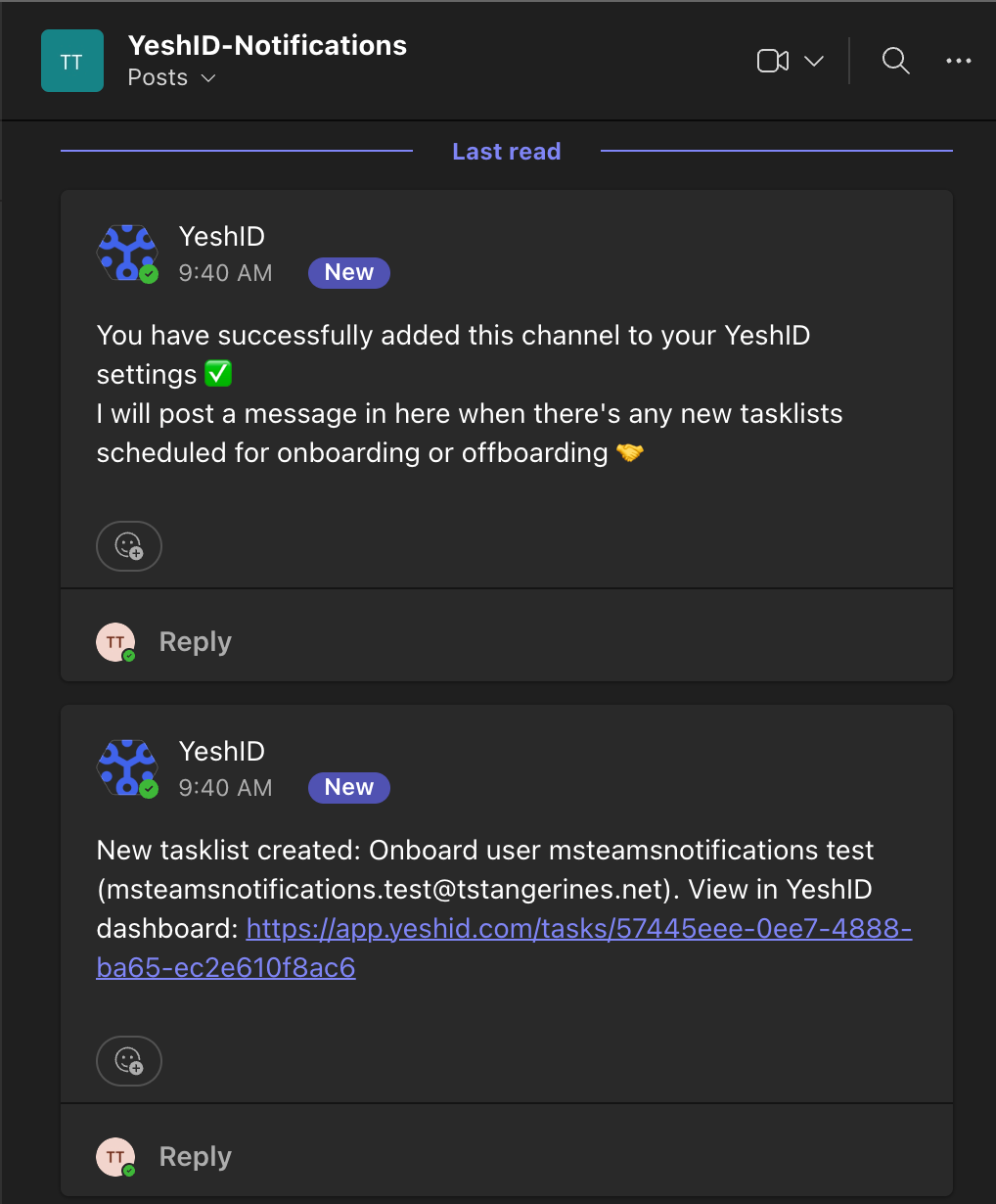
The YeshID Microsoft Teams application is still under active development. As a result, it is still in the process of being added to the Microsoft Teams Apps directory, and so you will need to (1) download a custom Teams app package and (2) upload it to your MS Teams Admin dashboard for now.
Pre-requisites
You will need to ensure you have the Feature Flag enabled by a YeshID team member
Steps
Navigate to the Settings Page -> Notifications: https://app.yeshid.com/manage/settings/notifications
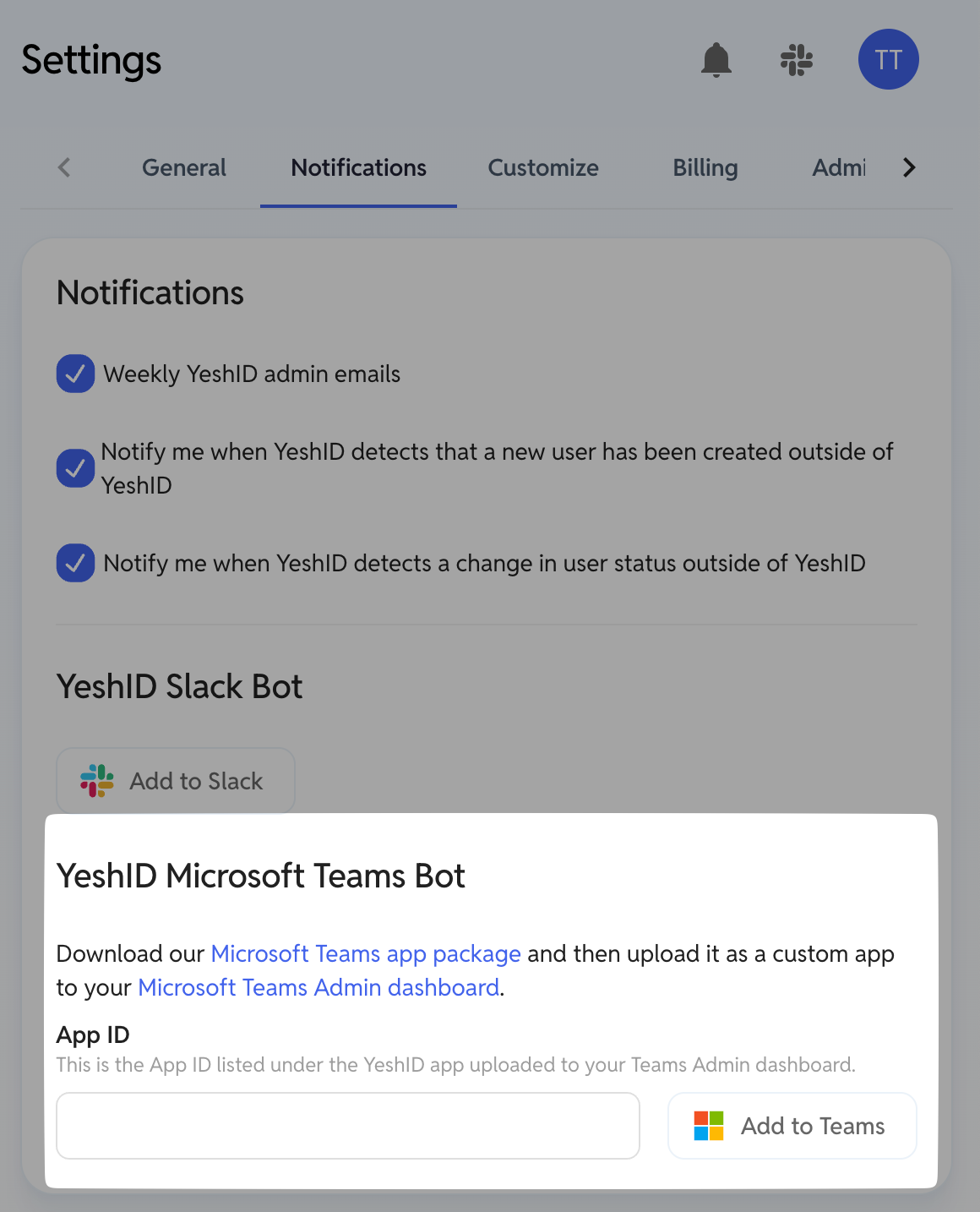
If you do not see this panel, that means you probably do not have the feature flag enabled yet.
Download the Microsoft Teams app package.
Upload as a Custom App
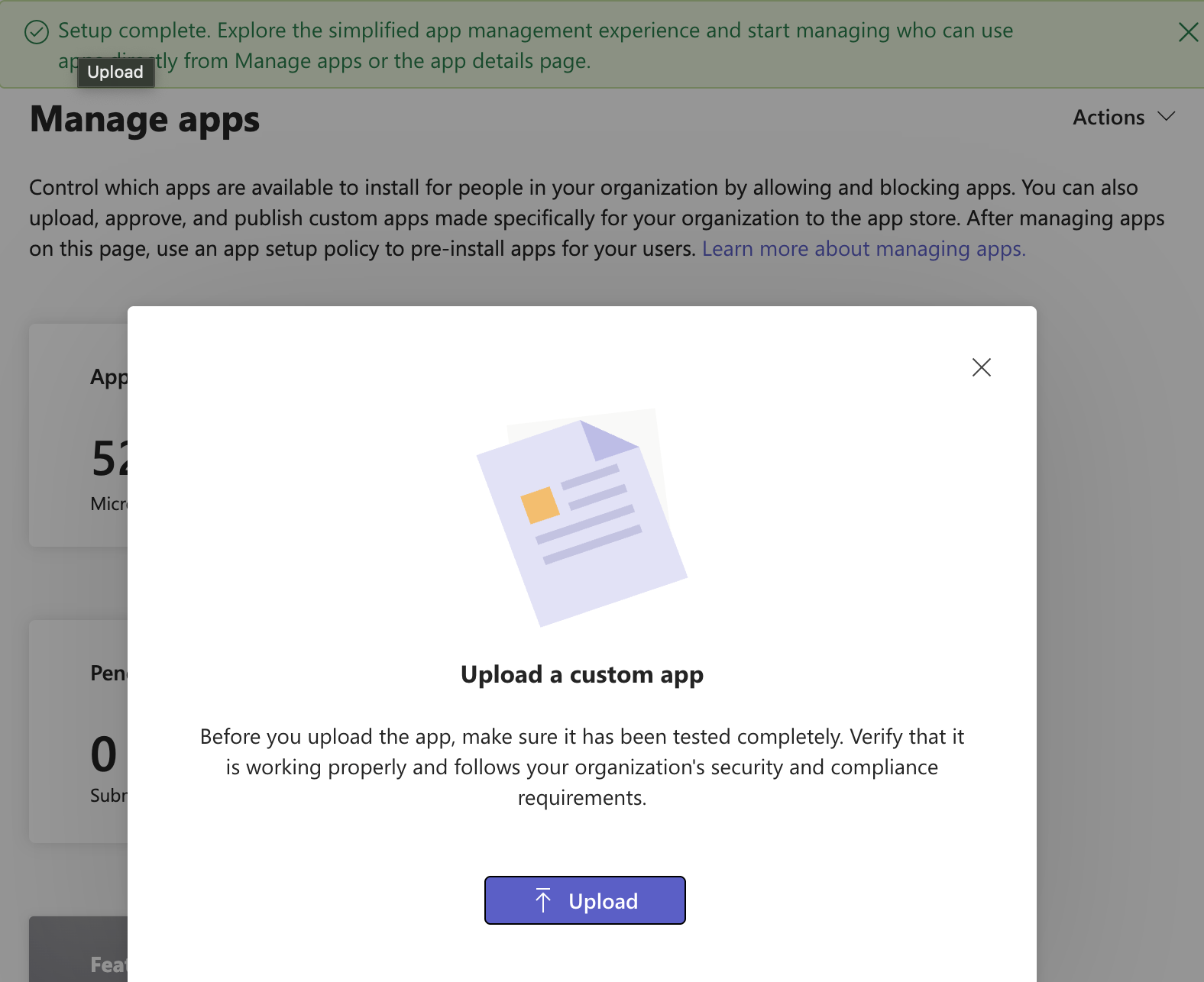
If this is your first time trying to upload an app, you may need to wait 30 minutes:

Click the link to go to the management interface
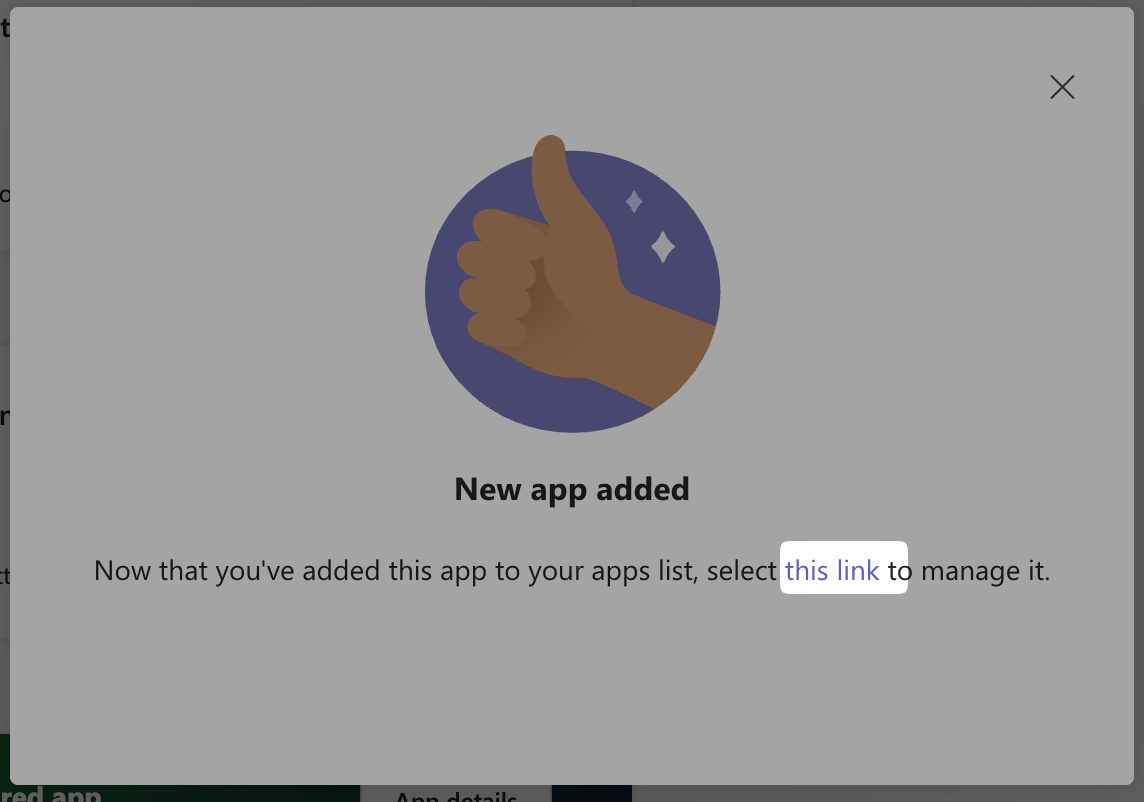
Copy the
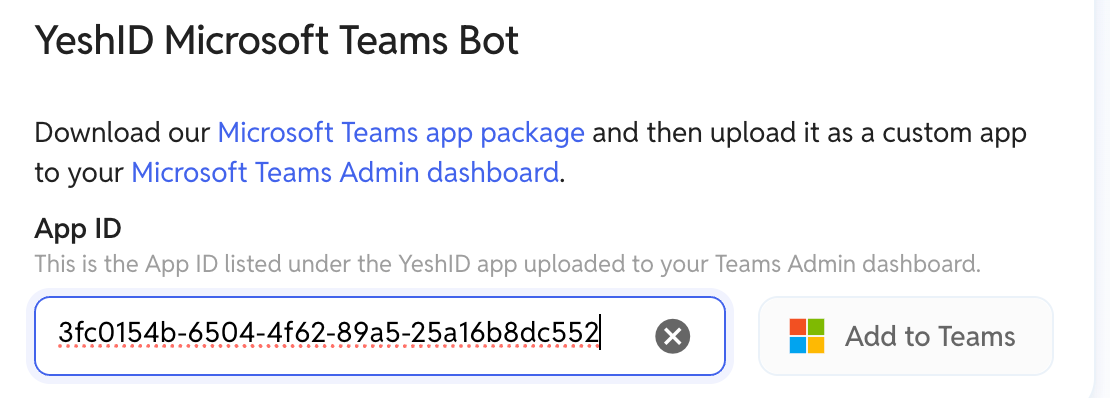
App ID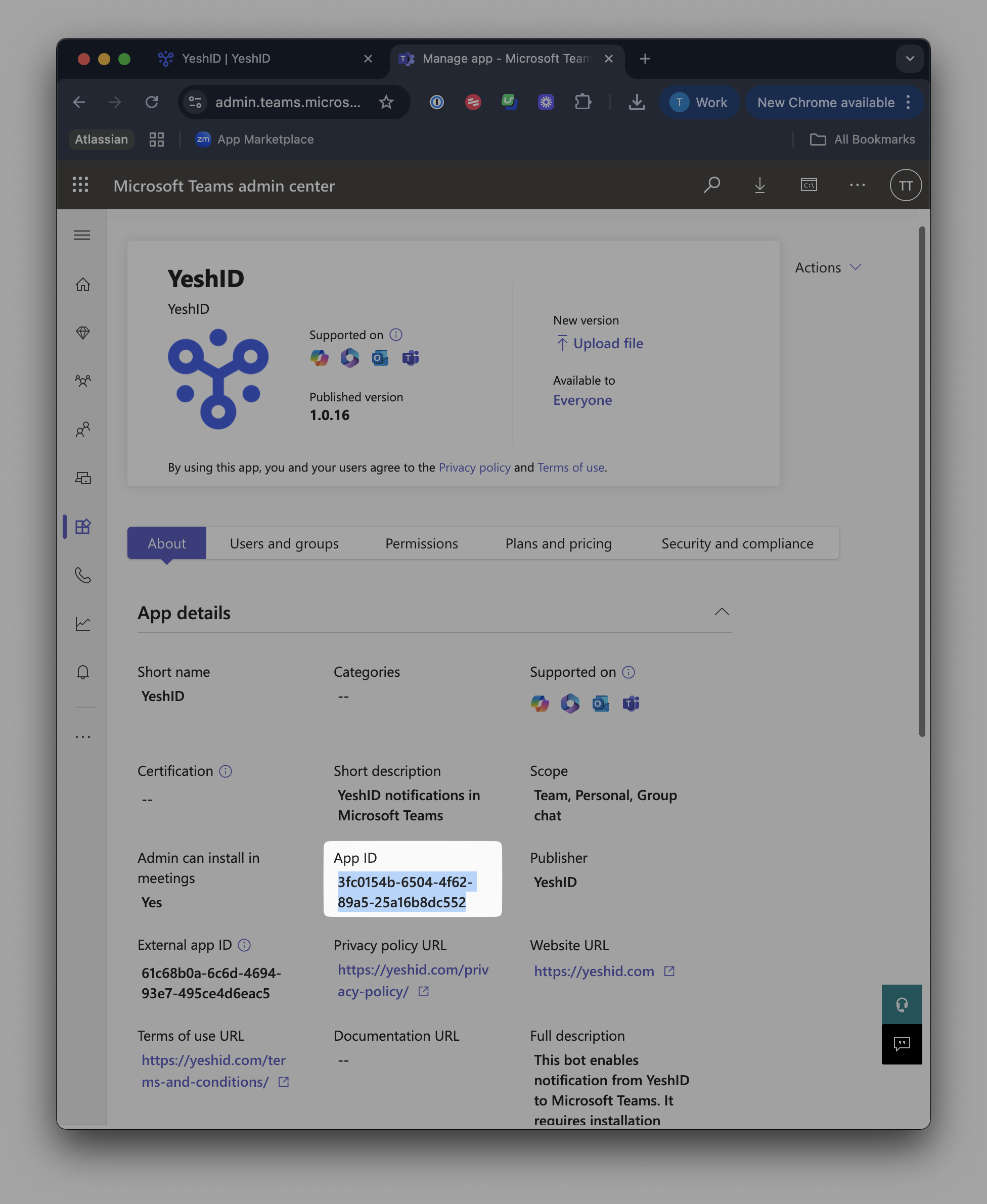
Click Add to Teams
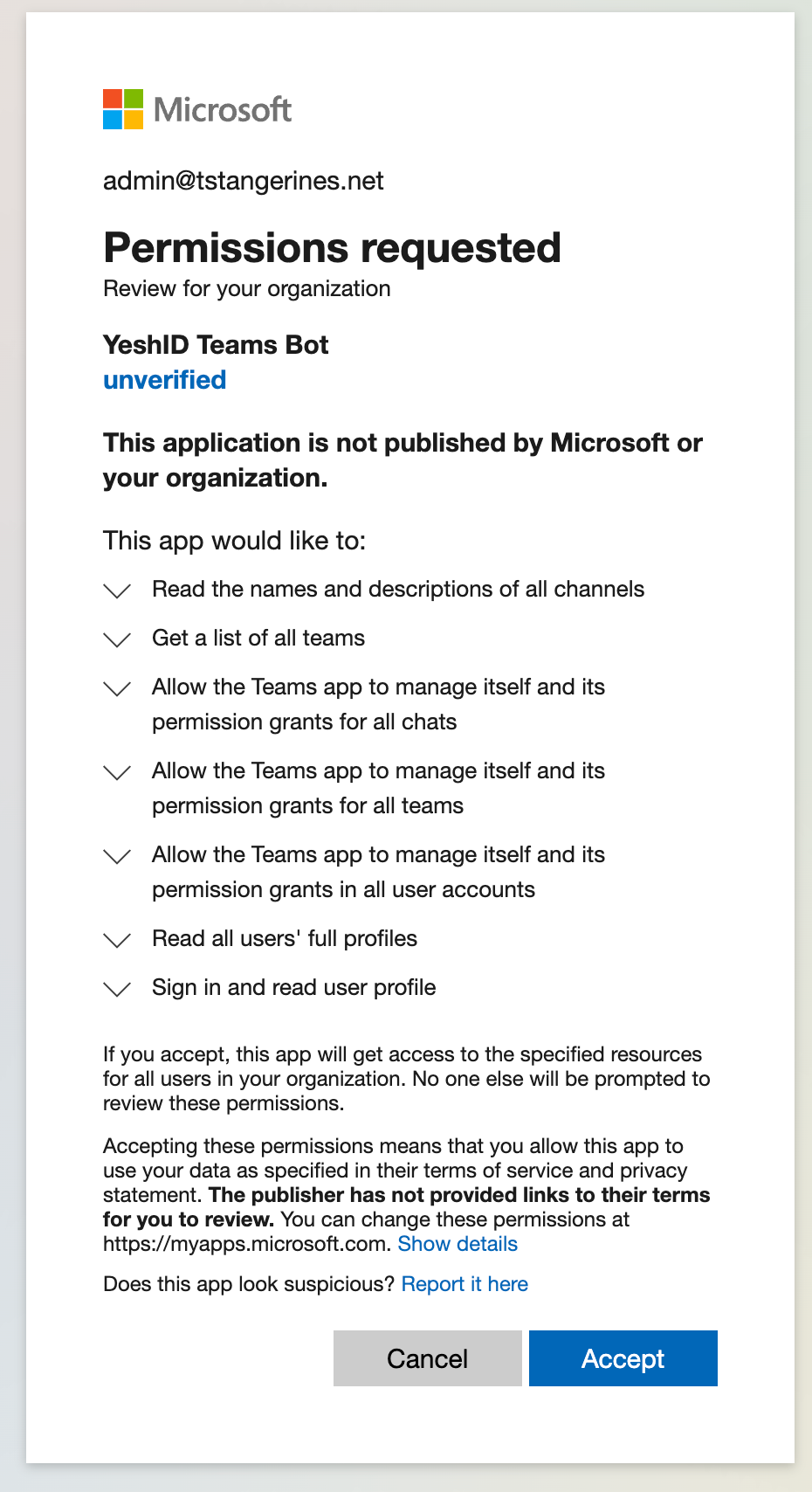
Accept the required permissions
Enable the app for the organization
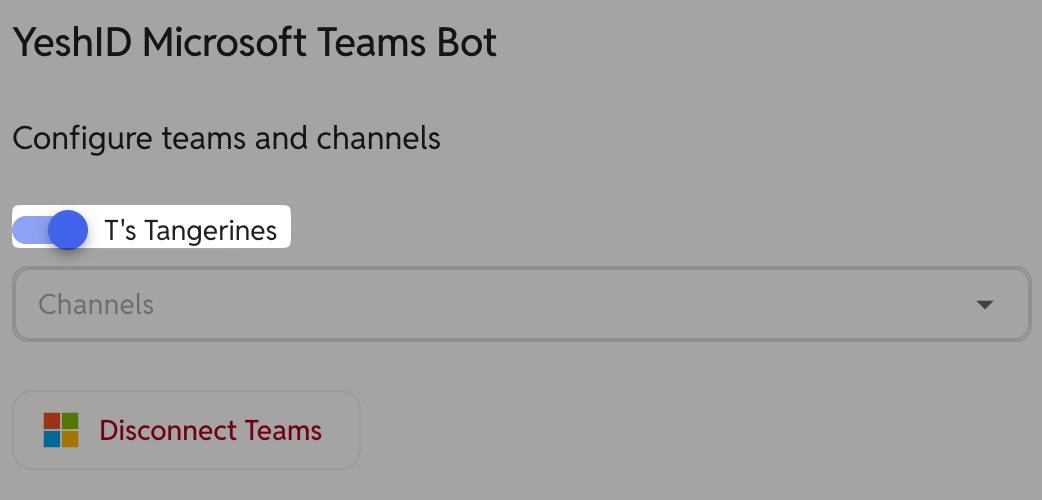
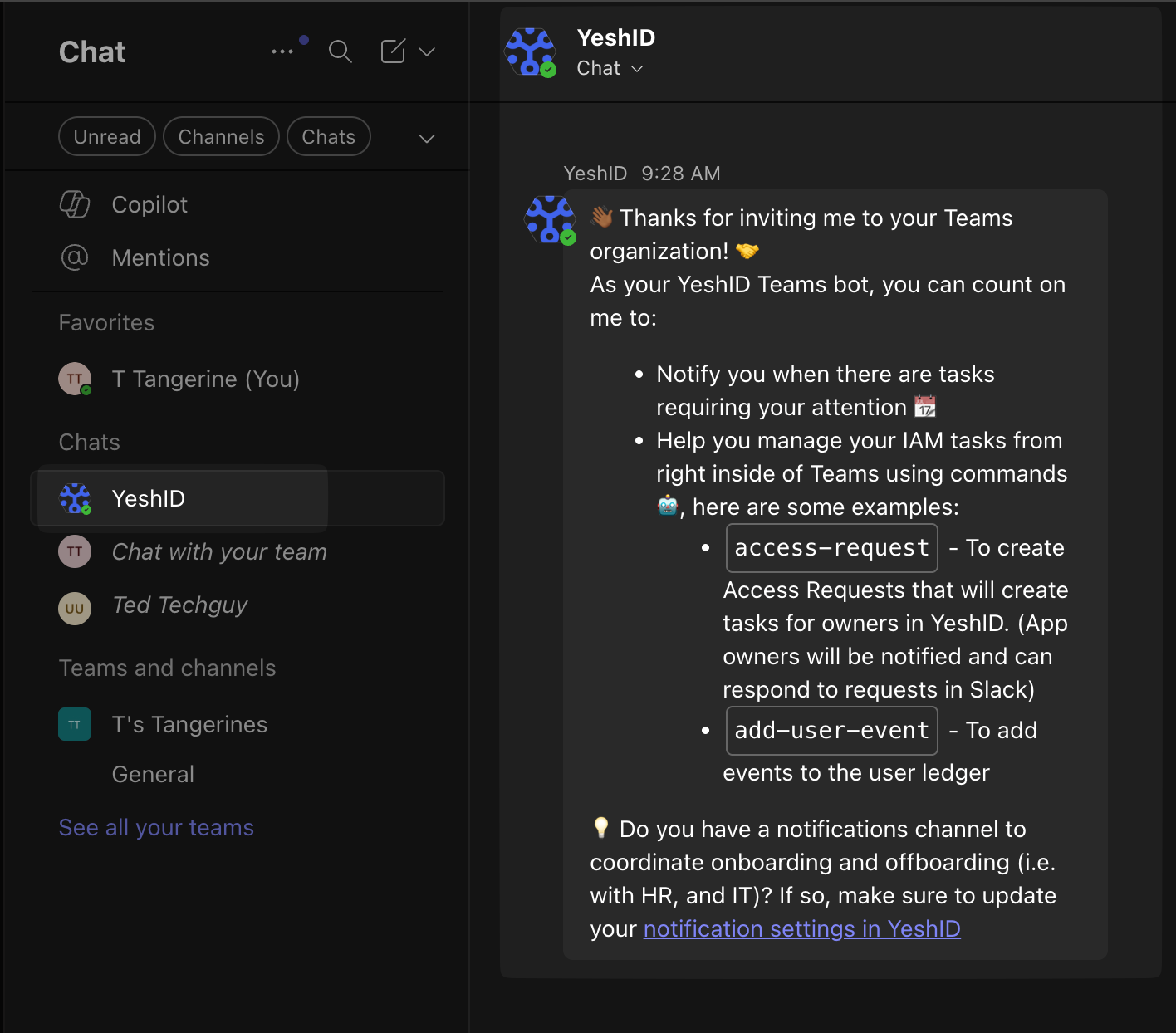
You should now see YeshID in MS Teams
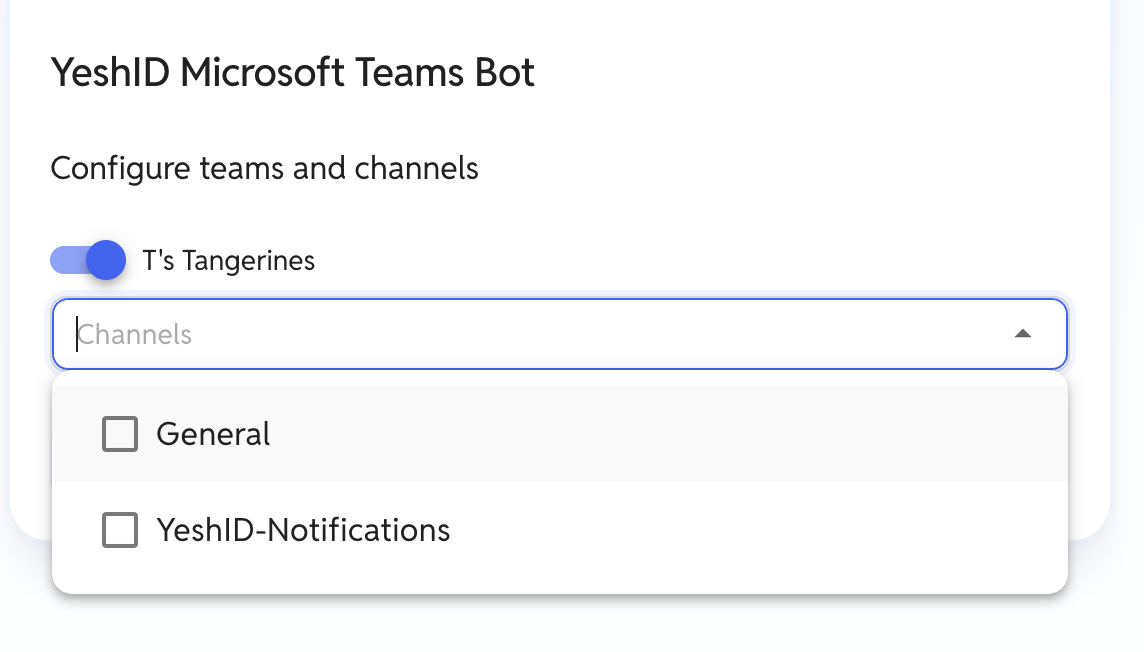
You can now choose which channel(s) receive all notifications from YeshID
At this time, only public channels are supported.
FAQ
If you get error
Could not connect Microsoft Teams: Missing role permissions on the request.Try it again.